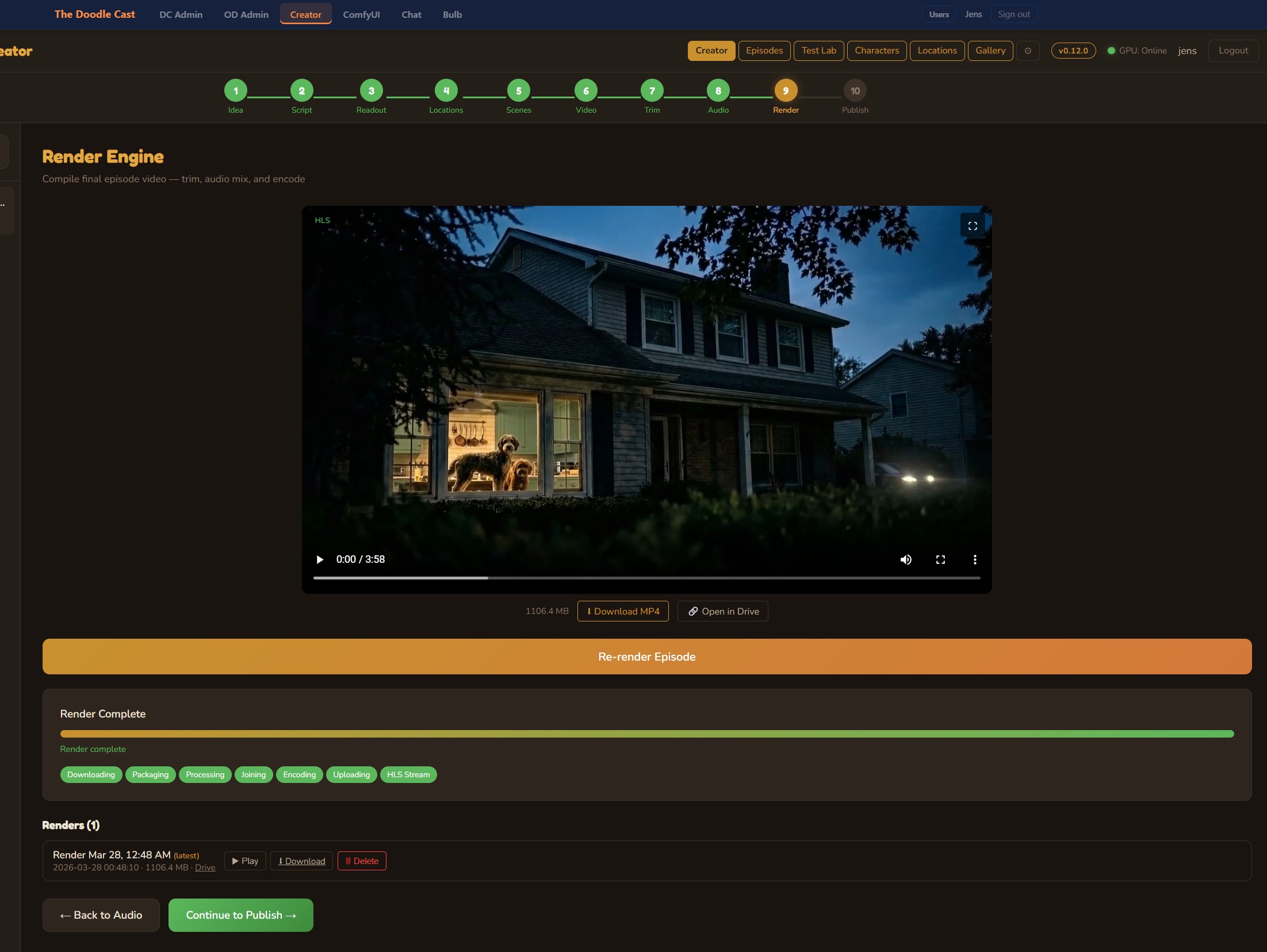
Showspring writes, illustrates, voices, and renders entire video episodes end-to-end on a server. So why on earth would anyone want to ship the timeline into DaVinci Resolve? Because some shows need a human’s last word — and getting a server-rendered timeline into the most opinionated NLE on the market turned out to be a layered integration design, an unsolicited Defender false-positive, and a tour through Resolve’s most-undocumented APIs.
Why this even exists
Showspring is a fully autonomous production studio. You hand it an idea, it returns a finished MP4 — scripted, illustrated, voiced, animated, captioned, mixed, and uploaded. End-to-end, server-rendered, no human hands. That’s the whole pitch.
And it works. Most days, that’s exactly what we want.
But sometimes a show is being put together for a client. Sometimes a producer wants to nudge a single beat. Sometimes the AI’s timing instinct is 90% right and a human editor needs to push two clips fifteen frames left. The studio model breaks the moment a person wants to open the file.
So we built a hatch. The whole timeline — every clip, every audio stem, every volume keyframe, every marker — lifts cleanly out of Showspring and lands inside DaVinci Resolve, ready to edit. From there, the editor cuts, tightens, and exports. If we get the round-trip right (more on that at the end), changes flow back into Showspring’s database, too.
This is the story of building that hatch.
One contract, several levels, no absolute paths
Every consumer of the integration reads the same JSON document: a versioned manifest schema. It describes every staged clip, duration in frames, kind (video, audio, or image), tracks with ordered items, and volume keyframes. It deliberately never references absolute paths, which means the same bundle can be unpacked anywhere and re-imported anywhere — on the editor’s laptop, on a colorist’s workstation, or in a future iPad-side import flow.
Strapped onto that contract is an integration ladder of progressively-tighter coupling. Each level is a complete shipping path on its own. We started at the bottom and added a level whenever we hit a friction point we couldn’t engineer around at the level below.
- Level 0 — Server bundle. A zip that any NLE that speaks OTIO can open. Always works. Lowest-tech option.
- Level 1 — Lua importer. A short Lua script the user pastes into Resolve’s console. Works on free-tier Resolve, no Studio license required.
- Level 2 — Local Python daemon. A long-running service on the editor’s machine, bound to loopback only. The browser hands it a bundle URL; the daemon downloads and imports.
- Level 2.5 — Daemon, but inverted. Same daemon process, plus an outbound WebSocket back to Showspring. Showspring pushes a build down the wire; the daemon pulls the bundle and runs the same import logic.
- Level 3 — Workflow Integration panel. A native panel inside Resolve, wired to the same import code. Flagship experience for the editor, no leaving the app.
Level 2.5 reuses the daemon’s import logic verbatim — it just flips the transport from inbound HTTP to outbound WS. Same level, plumbed differently.
Building the bundle on the server
The bundle is built entirely on the VPS. Nothing in the build path runs on the editor’s machine. The build emits a zip, archives it on disk, and hands the user (or the daemon) one of two URLs to fetch it from. A few non-obvious engineering decisions shaped the build:
Frame-accurate accumulation
OTIO talks in fractional seconds; Resolve talks in frames. Convert clip-by-clip and rounding errors compound: by the end of an 8-minute episode you’re visibly drifting. The builder walks the trimmed timeline sequentially and accumulates currentRecFrame as an integer. Every clip’s recordFrame is computed from the accumulator, not from a per-clip seconds-to-frames conversion. Drift goes to zero.
Image-sequence defeat
Resolve has an aggressive image-sequence detector. If you give it four or more PNGs whose filenames contain numbers in the same position — img-001.png, img-002.png — it tries to import the whole set as a single image-sequence clip. For us this manifests as Resolve crashing or silently dropping frames during the OTS-graphic overlay pass.
The fix is comically dumb and totally effective: every topic-image overlay gets a 10-character random alphabetical ID with no digits. img_aBcDeFgHiJ.png, img_kLmNoPqRsT.png. Resolve’s detector sees no numeric pattern, gives up, and imports them as the individual files they are.
Volume duality
OpenTimelineIO has no native audio-levels schema. There’s no place in OTIO to say “this clip plays at -6 dB with a fade to -18 dB at frame 240.” You can shove that into metadata, but no consumer is contractually obligated to read it.
So we ship volume on two channels. Per-item OTIO metadata, embedded in the timeline, for any consumer that knows how to look. And a volumes.json sidecar in the bundle root, with the same data in a flat schema. The Resolve daemon prefers the metadata path; non-Resolve NLEs and recovery scripts can fall back to the sidecar.
Inside Resolve itself, applying those volumes is an undocumented incantation: TimelineItem.SetProperty("Volume", dB). It’s in Studio 18.6+ but isn’t in the official scripting docs. On some builds it silently no-ops. The sidecar is the safety net — a Workspace > Scripts pass can re-apply volumes from volumes.json when SetProperty quietly does nothing.
The first daemon used Python’s tempfile.TemporaryDirectory to unpack the bundle. Clean, idiomatic, auto-cleans on exit. Resolve scripted-imported the timeline, the import returned success, and then every single clip showed up as Media Offline.
The bug was that TemporaryDirectory was deleting the unpacked media files before Resolve finished resolving the references. Resolve’s import is asynchronous in a way that doesn’t flush to disk until you trigger a render or a save. By then, the temp directory was gone.
Fix: persist the unpacked bundle to a stable directory under the user’s home folder and let it live there until they manually remove it. Generalises to any “import to NLE” scripting flow — if your media disappears between import and first save, the NLE won’t catch it for you.
Two delivery channels
After build, the bundle is reachable through two paths, and which one you use depends on who you are:
- Authenticated download. The user’s browser already has a session cookie. The dashboard fetches the bundle through the same authenticated API path it uses for everything else. Browsers, dashboards, anything human-driven.
- Unguessable one-time token. The local Resolve daemon has no Showspring session cookie — it’s a different process, on a different machine, sometimes on a different network. So we mint a long unguessable token at build time, hand it to the daemon over its existing authenticated channel, and discard it the moment a re-export happens. The daemon fetches the bundle through that one-time token. No session, no rotation logic, no shared secret on disk — just a wide unguessable URL with a short half-life.
The daemon
The daemon is the centerpiece. It runs as a tray-icon process on the editor’s Windows machine, owns a small HTTP server bound to localhost only, and holds the connection to the Resolve scripting socket. The browser hands it a bundle reference; the daemon downloads, unpacks, and drives Resolve through the import.
Python’s BaseHTTPRequestHandler doesn’t auto-add a Content-Length header. HTTP/1.1 clients faithfully wait for the entire body the server promised them — and when there’s no length and no chunked encoding, they wait forever. The daemon’s health endpoint took six seconds to debug and an embarrassing amount of time to find.
The fix is one line: explicitly set Content-Length, set Connection: close, and flush self.wfile before the handler returns. This applies to every BaseHTTPRequestHandler subclass anywhere; if you’ve got one of these in your codebase, go check it now.
Resolve API survival notes
Resolve’s scripting API is what we’d charitably call opinionated. The official docs are accurate as far as they go; what they don’t cover is the long tail of edge cases that break in production. Briefly, in the order we hit them:
- Audio volume isn’t settable through OTIO directly. Hence the volumes.json sidecar dance. The
TimelineItem.SetProperty("Volume", dB)path is undocumented and silently no-ops on some Studio builds. - recordFrame is absolute, not relative. If your timeline starts at frame 86400 (Resolve’s default 1-hour offset), every clip’s recordFrame must be computed against
GetStartFrame()— not from zero. Forgetting this puts your whole timeline an hour into the future. - CreateEmptyTimeline collides on name. Try to create a second timeline with the same name as an existing one and the call fails silently. Append a millisecond timestamp.
- DeleteTimelines is a no-op. The function is in the docs, the function returns success, the timeline is still there. The actual destructive call is
DeleteClipson the parent media pool item. - SaveProject() is mandatory. You can drive Resolve through a fifty-step import, see your timeline appear in the UI, close Resolve, reopen, and find none of your work there. The scripting API doesn’t auto-save. Call
SaveProject()at the end of every import, every time. - 1V/1A is the default timeline shape. If you’re inserting items at trackIndex 3, you have to
AddTrackfirst; the call doesn’t auto-grow. - The image-sequence detector triggers on four or more numbered PNGs in the same media-pool import. See the random-alphabetical-IDs trick above.
None of these are individually catastrophic. Collectively, they’re a death of a thousand cuts — the kind of thing that turns a one-week integration estimate into a four-week one. Which it did.
The tray agent: the great PowerShell quarantine
The first daemon shipped without a tray. Editors had to remember they had a long-running Python process by checking Task Manager, which is a non-starter. We needed an icon and a status indicator.
The first version was a Windows PowerShell tray. The standard library covers everything we needed — tray icon, HTTP health polling, process management — with no external dependencies. It worked on the dev machine, we shipped it.
It worked on exactly zero customer machines.
Windows Defender runs an Antimalware Scan Interface (AMSI) ML model over PowerShell scripts before execution. The combination of standard Win32 tray, network-status, and process-management calls our PowerShell tray was using pattern-matched closely enough to a generic remote-control toolkit that Defender quarantined the script as malicious content.
The model was wrong but it wasn’t illegitimate. Those primitives, in combination, really are how that class of malware is structured. Asking customers to add an AV exclusion was a non-starter for any production environment.
The fix was a full rewrite to Python with pystray. Python tray code goes through different surface area than PowerShell and didn’t trip the same heuristics. Same UX, same job, no quarantine.
The pivot to Python was straightforward; the new tray was running in an afternoon. pystray draws the icon, an asyncio loop polls the local daemon’s health endpoint every two seconds, and the tray flips between three states — ok (green dot), warn (amber, daemon up but Resolve unreachable), and down (grey, daemon dead). The same tray also holds the outbound WebSocket back to Showspring. When a build message arrives, the tray downloads the bundle through its existing authenticated channel, runs the build, and updates its status icon — no browser involved.
The first tray had a Stop daemon menu item. It found the daemon’s process by walking the OS connection table and killing whatever owned the daemon’s port. Looked fine in testing.
In production, the tray itself had an outbound poll connection to the daemon. So the connection table returned two rows: the daemon’s listening socket, and the tray’s established outbound connection. The tray happily killed both. Pressing Stop daemon killed the tray that was trying to stop the daemon, the user saw the icon disappear, and they had no idea what had happened.
The fix is the obvious-in-hindsight one: filter only rows in the listening state. Outbound connections from the tray are in a different state and are no longer matched. The Stop daemon button does what it says.
What’s next: round-trip
Right now the integration is one-way. Showspring builds the bundle, the editor opens it in Resolve, the editor exports an MP4, the cycle is closed. If they make changes to clip timing, those changes don’t flow back to Showspring — the next render from Showspring would re-emit the original timeline.
That’s the next frontier. Every clip in the bundle ships with a Resolve marker whose custom_data field carries an opaque Showspring identifier. Resolve’s API exposes GetMarkerByCustomData(), which lets a future round-trip script walk an edited timeline, recover the original row IDs, diff against the source, and write the editor’s timing changes back to Showspring’s database. The infrastructure is in place; the round-trip flow is the next thing to build.
When that lands, Showspring becomes editable from inside Resolve without ever leaving Resolve. The fully-autonomous studio gets a proper human-in-the-loop layer. That’s the moment this whole thing pays off.
Five layers, one contract
Showspring renders end-to-end on a server, but for productions where a human editor wants the last word, the timeline lifts cleanly into DaVinci Resolve through any of the five integration paths described above. The hatch is open; round-trip is what closes the loop.

Discussion
Be the first to comment