Back to Overview
Overdigital Labs · Technical Deep Dive

Doodle Cast Creator

v1.2 — April 2026

The technical breakdown of the AI production studio behind The Doodle Cast. Every step of the pipeline, every model, every engineering decision — laid out in full. For the high-level story, see the overview page.

This full episode was produced end-to-end by Doodle Cast Creator — from idea to YouTube publish.

24
Production Steps
10+
AI Models
52K+
Lines of Code
302
API Endpoints

AI scoreboard — three models, six categories

Three leading AI models were given full architectural context — codebase stats, feature set, pipeline details, and market positioning — and asked to score Doodle Cast Creator across six categories from 1 to 10 with a short comment per score. Select a model below to see its scoreboard.

8.3
/ 10
Overall Score — Grok
xAI · grok-3
April 2026 (post-refactor)
Product Vision
9/10

Solves a real creator pain point with an end-to-end pipeline no single competitor matches. Cinematic, episodic focus sets it apart from clip generators and stock assemblers.

Market Opportunity
8/10

Significant gap for affordable AI video production targeting millions of creators, though the space is evolving fast as Veo and Showrunner enter.

Competitive Edge
7/10

Comprehensive orchestration is the moat. Show Bible and character persistence add real value, but well-funded competitors could replicate the integrations.

User Experience
8/10

Creator-friendly workflow abstracts complex production steps. Configurable LLMs, drag-and-drop tools, and AI-suggested posting times round out the experience.

Technical Architecture
9/10

441-line composition root, 22 modular routers, 11 services, layered rate limiting, and hardened middleware stack. Surprisingly production-ready posture.

Implementation Rigor
9/10

From-scratch ffmpeg filter-graph engine, non-destructive LRU cache (backs up before evicting), 113-case custom HTTP test runner that caught 9 refactor regressions.

⚠ Key Risks

SQLite scalability beyond single-tenant use; third-party AI cost volatility (Veo pricing, ElevenLabs quotas); SSH reverse-tunnel carrying seven GPU services is clever but a single point of failure — though cloud fallbacks mitigate it.

Verdict: Mature engineering discipline powering a uniquely comprehensive AI video pipeline. The real achievement is collapsing 14 production roles into coordinated API calls that ship real episodes every week.
9.0
/ 10
Overall Score — Gemini
Google DeepMind · gemini-2.5-flash
April 2026 (post-refactor)
Product Vision
9/10

“Idea to published” AI-driven pipeline is genuinely differentiated from fragmented tools that only handle clip generation or stock assembly.

Market Opportunity
9/10

Significantly underserved market for high-volume, AI-native episodic content across platforms. No competitor offers a fully integrated pipeline.

Competitive Edge
8/10

Deep orchestration of 10+ models plus 5-platform OAuth and publishing infrastructure creates a high replication barrier.

User Experience
9/10

“No manual editing, no external tools” workflow backed by thoughtful systems: Character Manager, Show Bible, cross-platform analytics.

Technical Architecture
10/10

Textbook modular decomposition. 441-line composition root delegating to 22 domain routers + 11 pure-function services with tested single-responsibility.

Implementation Rigor
9/10

28-table normalized schema with explicit foreign keys. Expensive-endpoint rate limiting via combined path + regex matching. Real production experience shows.

⚠ Key Risks

Deep dependency on external AI models (Veo, ElevenLabs, Gemini image) — if any re-prices or changes access, primary paths stall. Content quality consistency at scale is still emerging; one off-model frame hurts a brand more than a human mistake would. Custom test runner lacks ecosystem tooling.

Verdict: Textbook architecture meets an ambitious product thesis. A traditional content studio collapses to a set of coordinated AI API calls, and the output actually ships — the shape of the bet is clearly correct.
8.2
/ 10
Overall Score — Claude
Anthropic · claude-sonnet-4
April 2026 (post-refactor)
Product Vision
8/10

Replaces a stitched-together 5–10 tool workflow with a single integrated platform. Real innovation in a fragmented market.

Market Opportunity
8/10

Massive underserved creator market. Timing aligns with AI video quality reaching “good enough” thresholds, though mainstream adoption may be 12–18 months out.

Competitive Edge
7/10

Feature moat around end-to-end pipeline + Show Bible + character persistence. Strong, but replicable by well-funded competitors in 6–12 months.

User Experience
8/10

Friction removed cleanly while preserving creator control via configurable LLMs and approval workflows. Google Flow integration is a thoughtful touch.

Technical Architecture
9/10

Engineering discipline goes well beyond what “post-refactor” usually implies. Each module independently testable; composition root has no business logic.

Implementation Rigor
9/10

Four-tier rate limits, hand-rolled ffmpeg filter graphs, 113-case HTTP test harness. The kinds of choices that come from real production scars.

⚠ Key Risks

AI model fragility — if Veo changes pricing, the primary video pipeline stalls. Content quality consistency unproven at scale — one off-model frame damages a brand more than a human mistake would. Per-episode cost model depends on current API pricing holding.

Verdict: Real market gap addressed with impressive technical execution. 14 specialist production roles collapsed into one AI pipeline, with episodes shipping weekly to a real audience. Long-term risk is AI model volatility; short-term proof is the content gets made.
Evaluations regenerated April 8, 2026 (post-refactor) — unedited responses to identical prompts

AI video tools generate clips. We produce episodes.

Tools like Veo, Kling, Higgsfield, and Firefly are remarkable at generating individual video clips. But producing a complete YouTube episode — with narrative structure, multi-character dialogue, consistent visuals, sound design, and music — still takes dozens of hours of manual stitching, editing, and rendering. Doodle Cast Creator eliminates that gap entirely.

From idea to YouTube in 10 steps

Every step of the episode production pipeline — from brainstorming to final publish — is handled by a unified interface with AI assistance at every stage. A parallel Shorts pipeline adds 7 more steps for vertical content.

Step 01

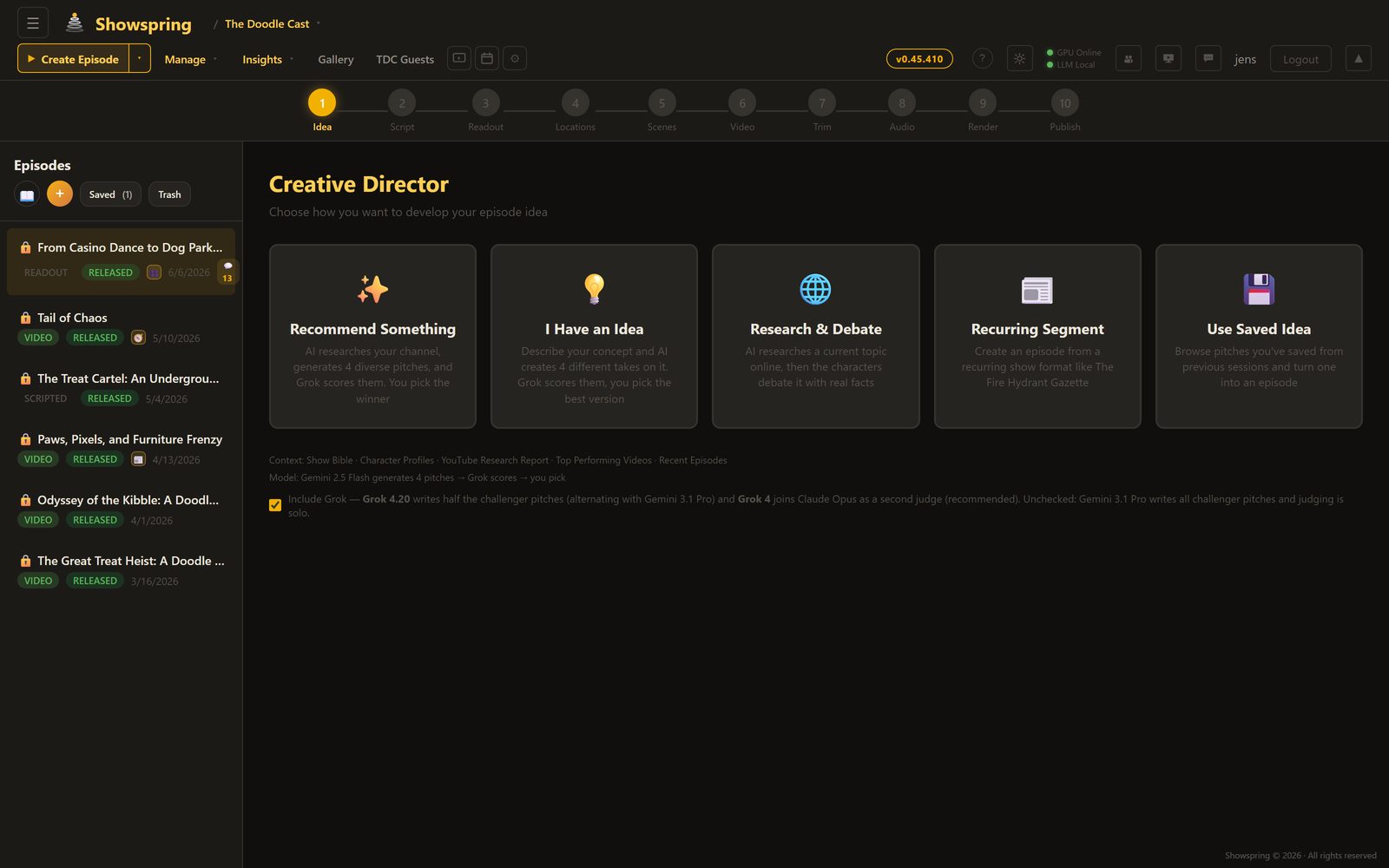
Creative Director

Three AI personas independently brainstorm episode concepts, then debate their merits. A judge AI (Grok 4) evaluates each pitch with live web search for topical relevance and selects a winner — or you bring your own idea and let the panel validate it. v1.2 adds a Research & Debate mode where Grok 4 conducts deep web research to build fact-heavy, current scripts.

Llama 3.1 Gemma 12B Qwen 8B Grok 4 Web Search Multi-AI Debate
Creative Director - AI brainstorming with three modes
Step 02

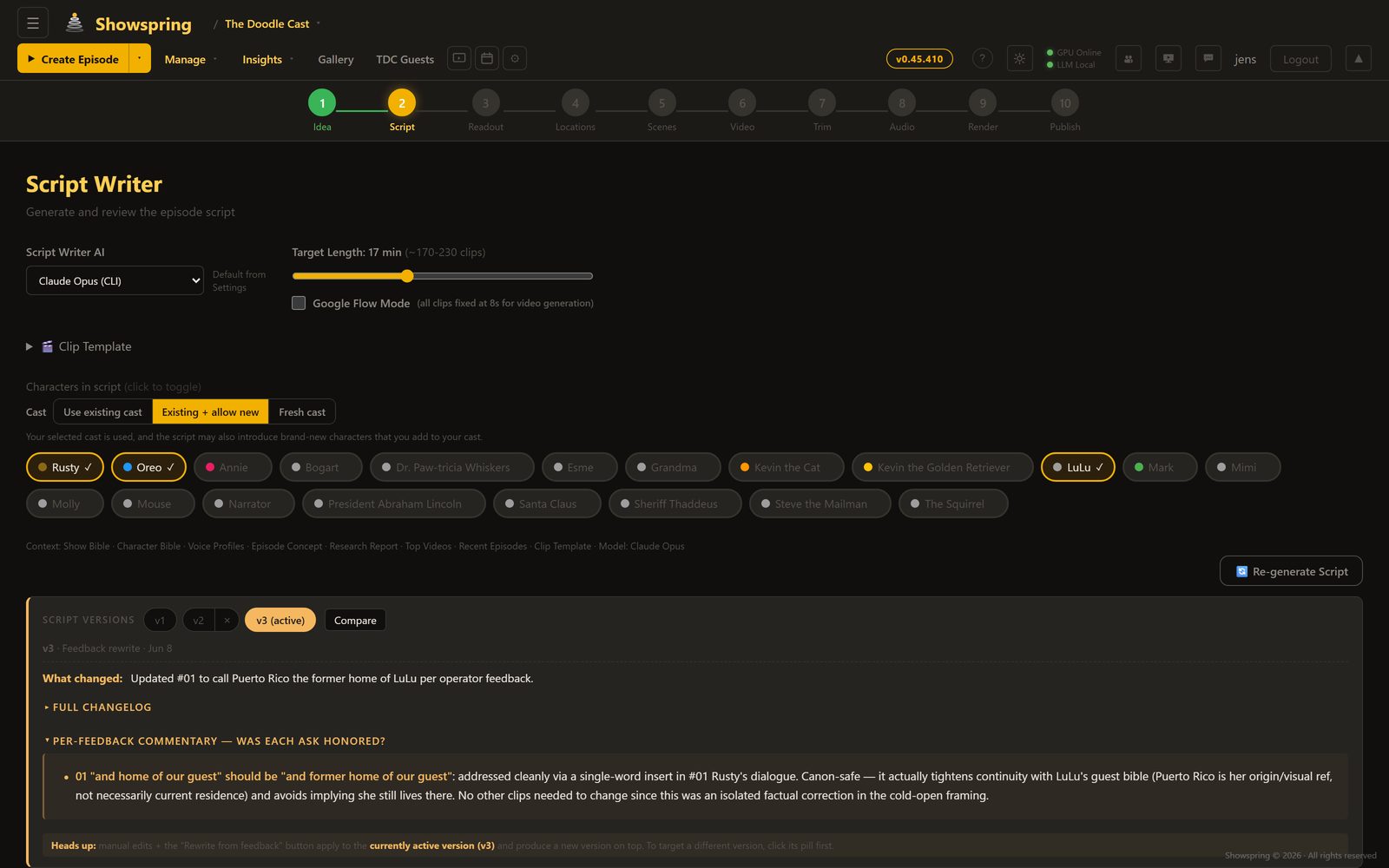
Script Writer

Choose your LLM — Llama, Gemma, Qwen, Gemini, or Claude — and generate a full episode script with structured clips, character dialogue, scene descriptions, and image prompts. The writer is trained on the show bible: a living knowledge base that evolves with every episode, ensuring character consistency and avoiding repeated plotlines.

5 LLM Options Show Bible Clip Templates 30+ Clips Per Episode
Script Writer with LLM selection and template system
Step 03

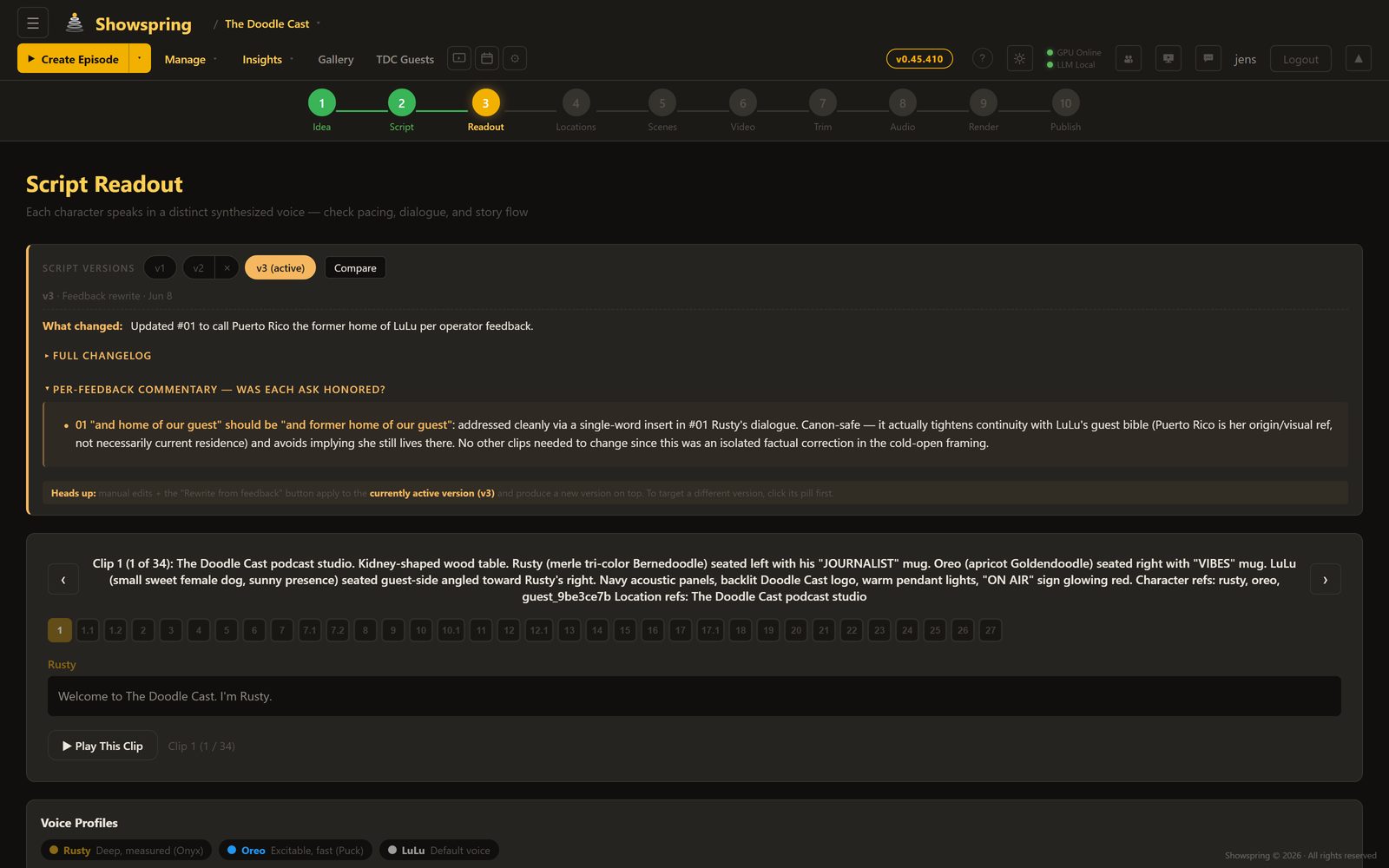
Voice Readout

Every character speaks in a distinct synthesized voice. The narrator delivers a documentary cadence; Rusty speaks with deep, measured authority; Oreo is excitable and fast. Play through the full episode readout to check pacing, dialogue flow, and story structure before committing to visual production.

ElevenLabs Per-Character Voices Full Episode Playback
Script Readout with voice profiles and clip navigation
Step 04

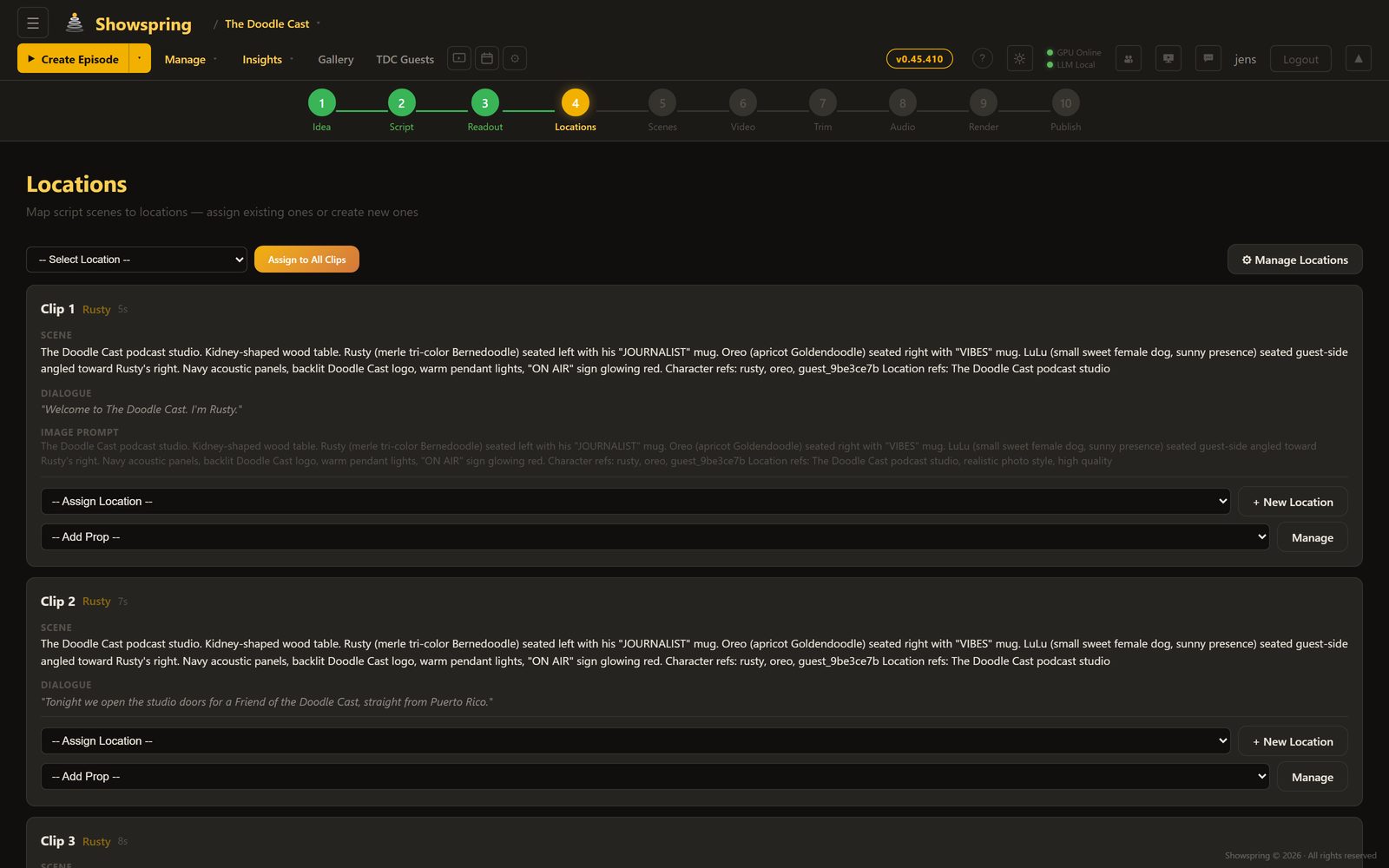
Location Mapping

AI extracts every location from the script and maps them to clips. Build a reusable location library with reference images, visual descriptions, and default prompts. Locations carry their visual identity across episodes — the studio always looks like the studio.

Auto-Extraction Reference Images Persistent Library
Location extraction and mapping interface
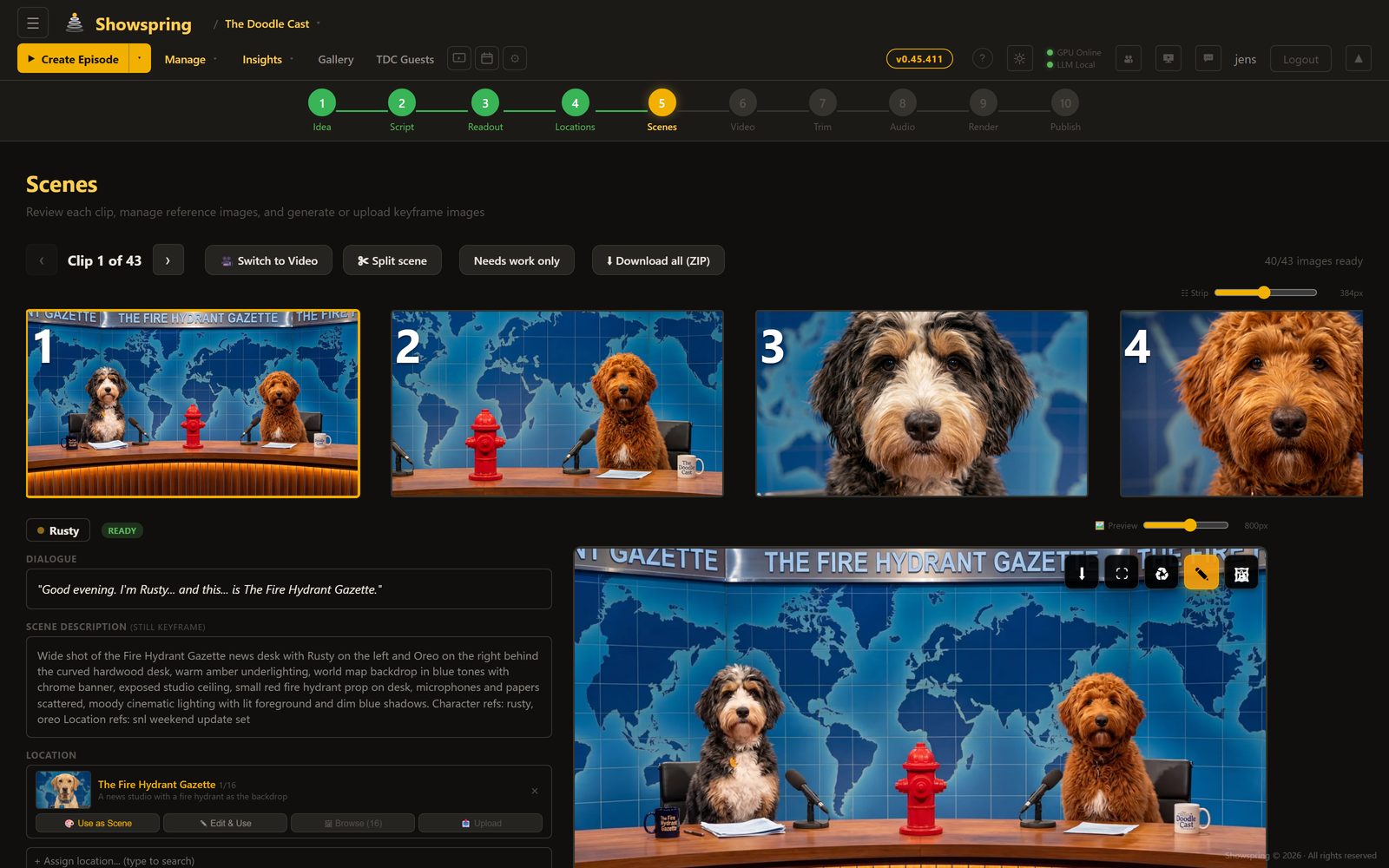
Step 05

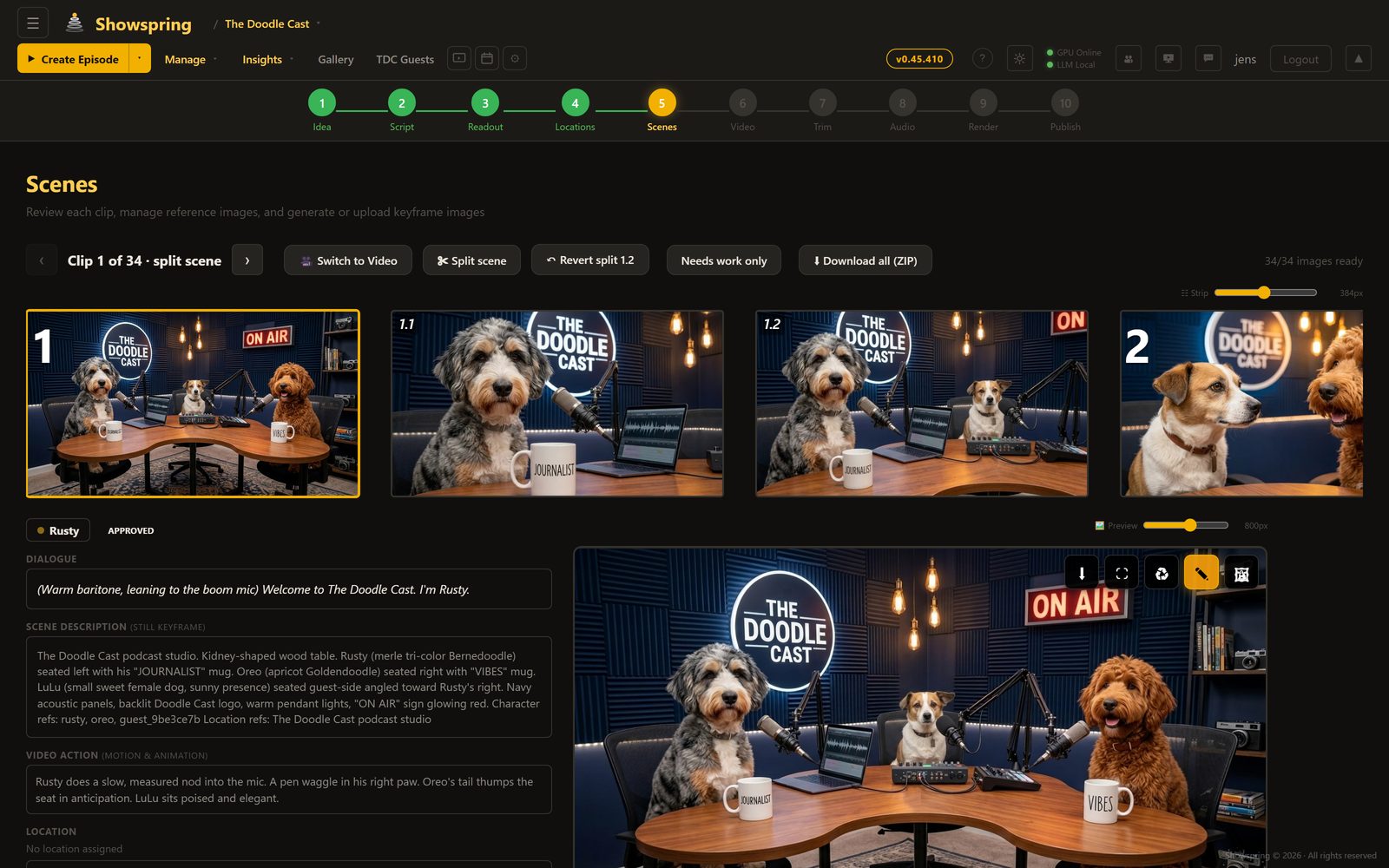
Scene Generation

Generate photorealistic images for each clip, informed by character reference sheets, location images, scene references, and scene descriptions. Every generation considers the visual context — character appearance, location lighting, camera angle — to maintain consistency across 30+ scenes. Start and end images for each clip enable smooth I2V video generation. Full image history with undo, AI-assisted editing, and Google Flow mode for iPad/PC-sourced photos.

Z-Turbo Gemini ComfyUI Start/End Images Google Flow Scene References Image History
Scene generation with reference images and visual controls
Step 06

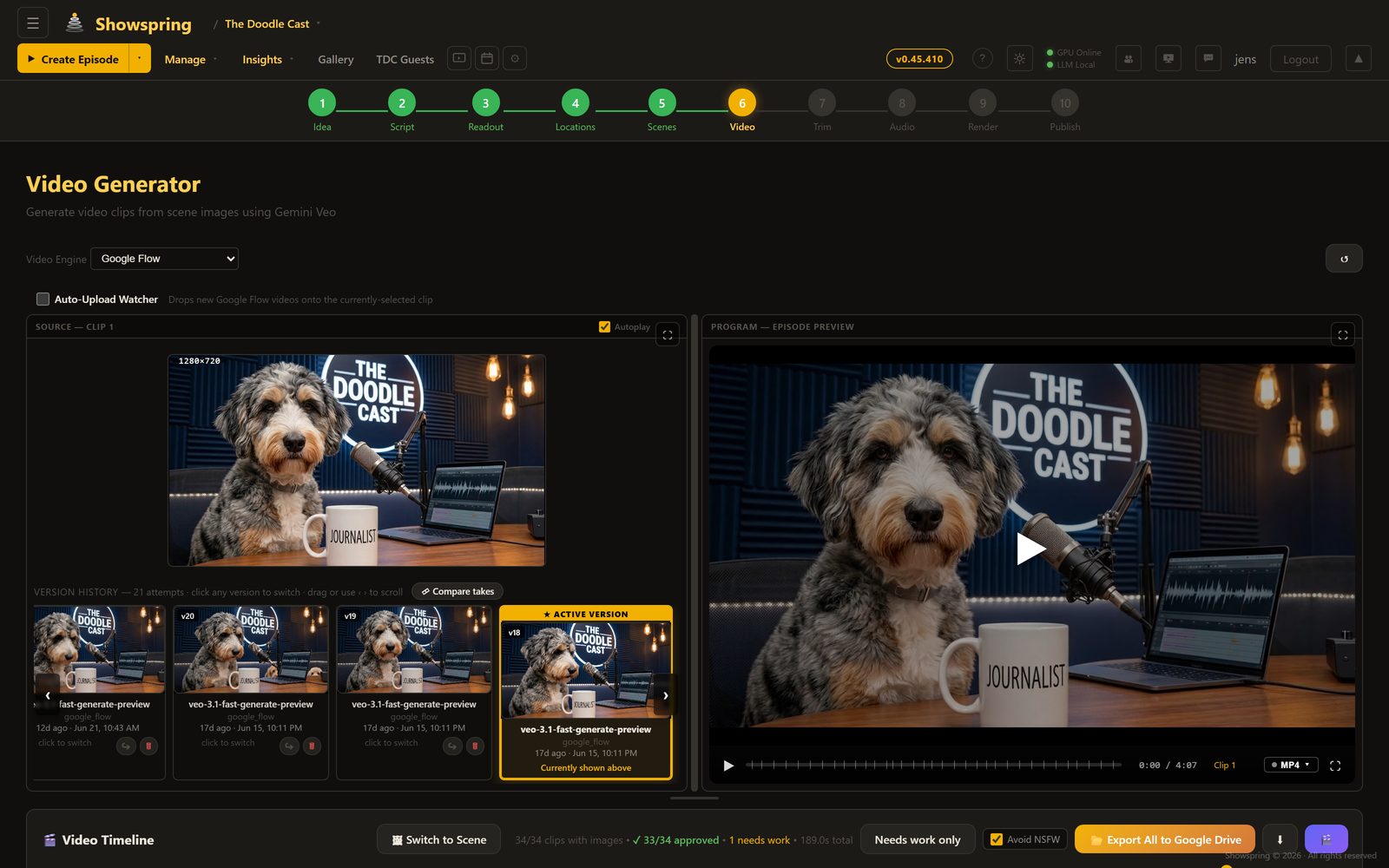
Video Generation

Transform scene images into motion using cloud models like Google Veo or local open-source models (WAN 2.2, LTX 2.3) on an RTX 5090. The DaVinci Resolve-style timeline shows every clip with start/end frames, status badges, and a composite episode preview player that sequences all completed clips in real time.

WAN 2.2 I2V LTX 2.3 Gemini Veo RTX 5090 Episode Preview
Video timeline with episode preview and clip generation
Step 07

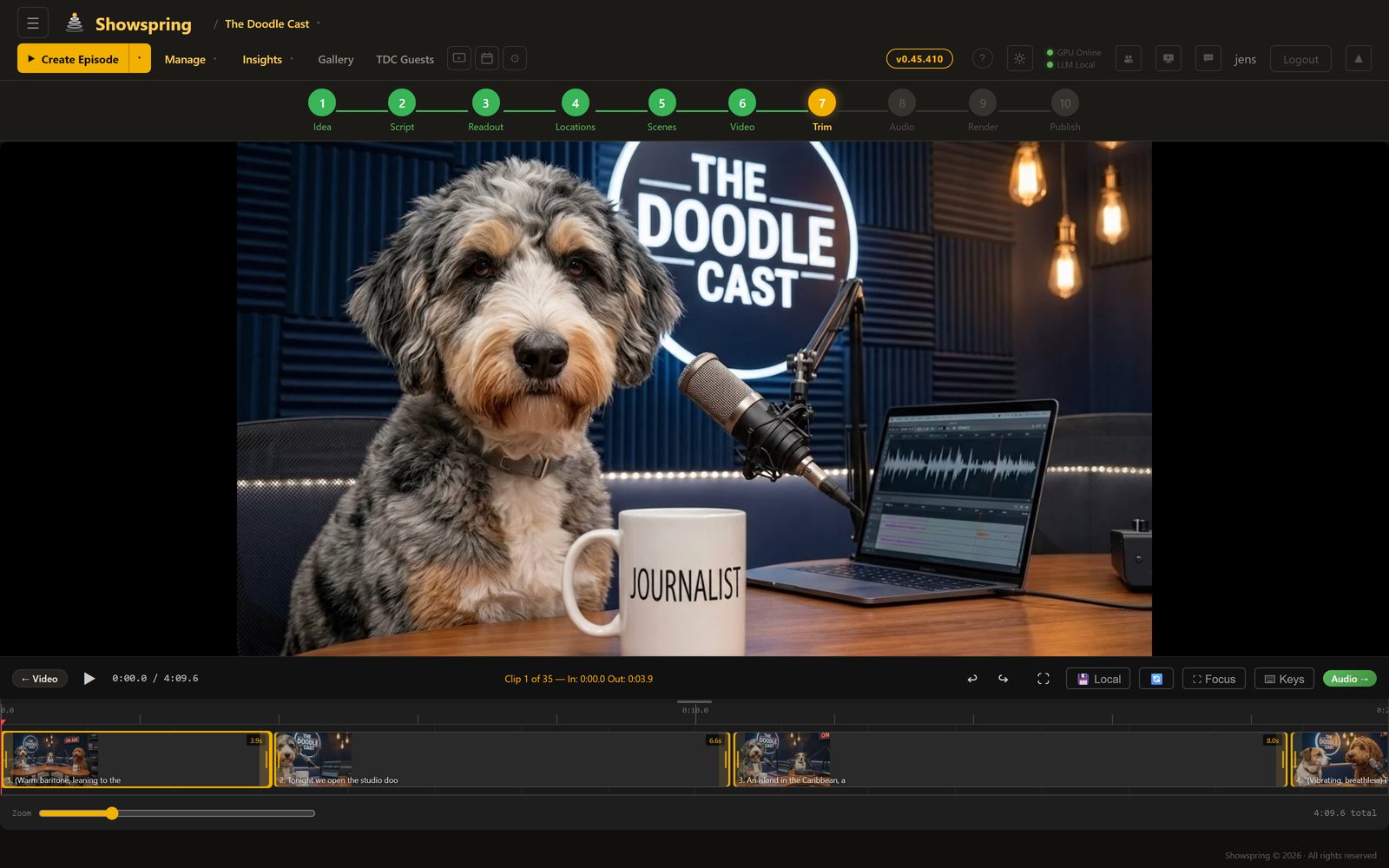
Trim Editor

Fine-tune every clip with frame-accurate trim points. Set in/out markers, adjust clip durations, and preview the result instantly. The trimmed timeline carries forward to the audio mix and final render.

Frame-Accurate In/Out Markers Real-Time Preview
Video preview with clip navigation
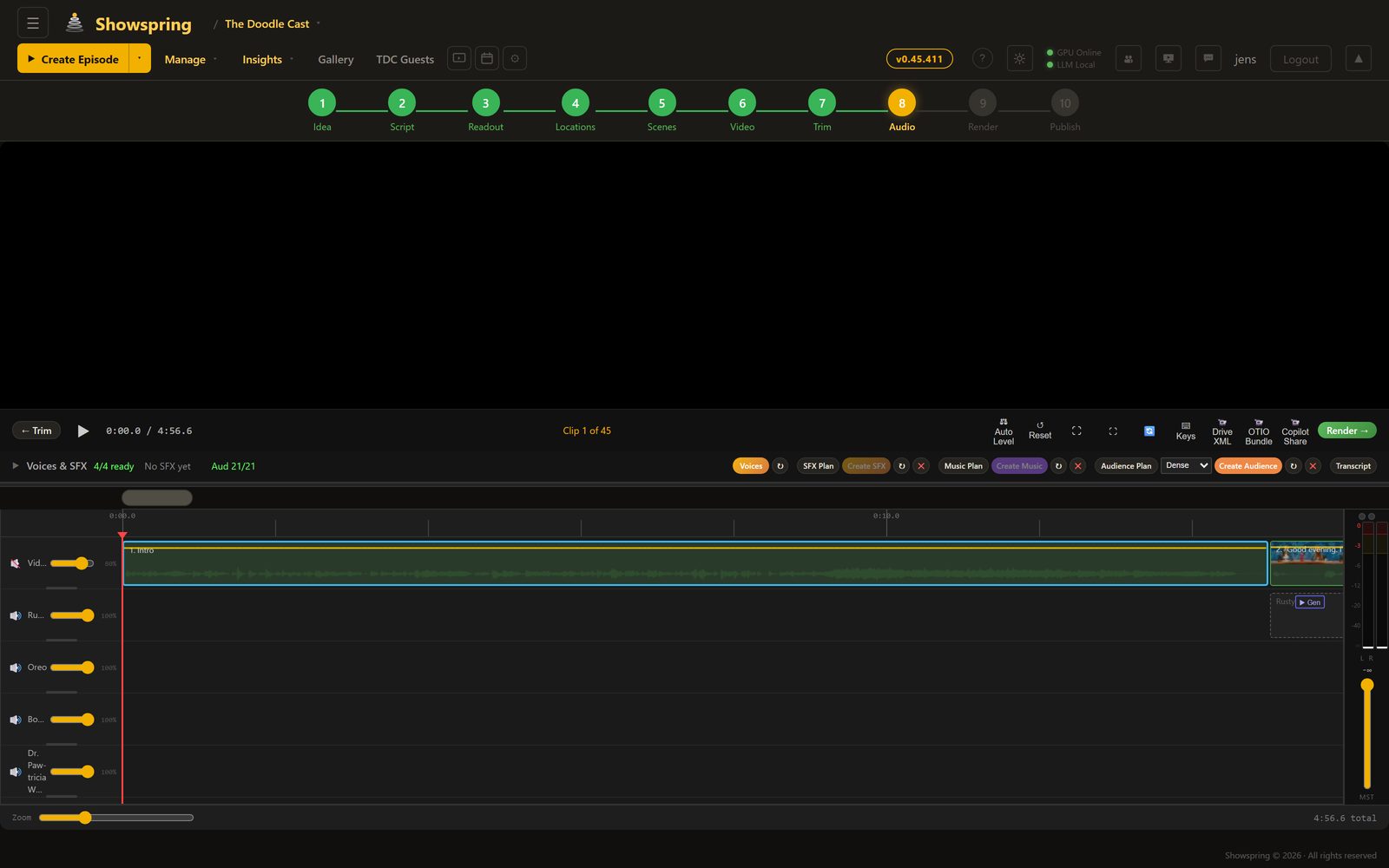
Step 08

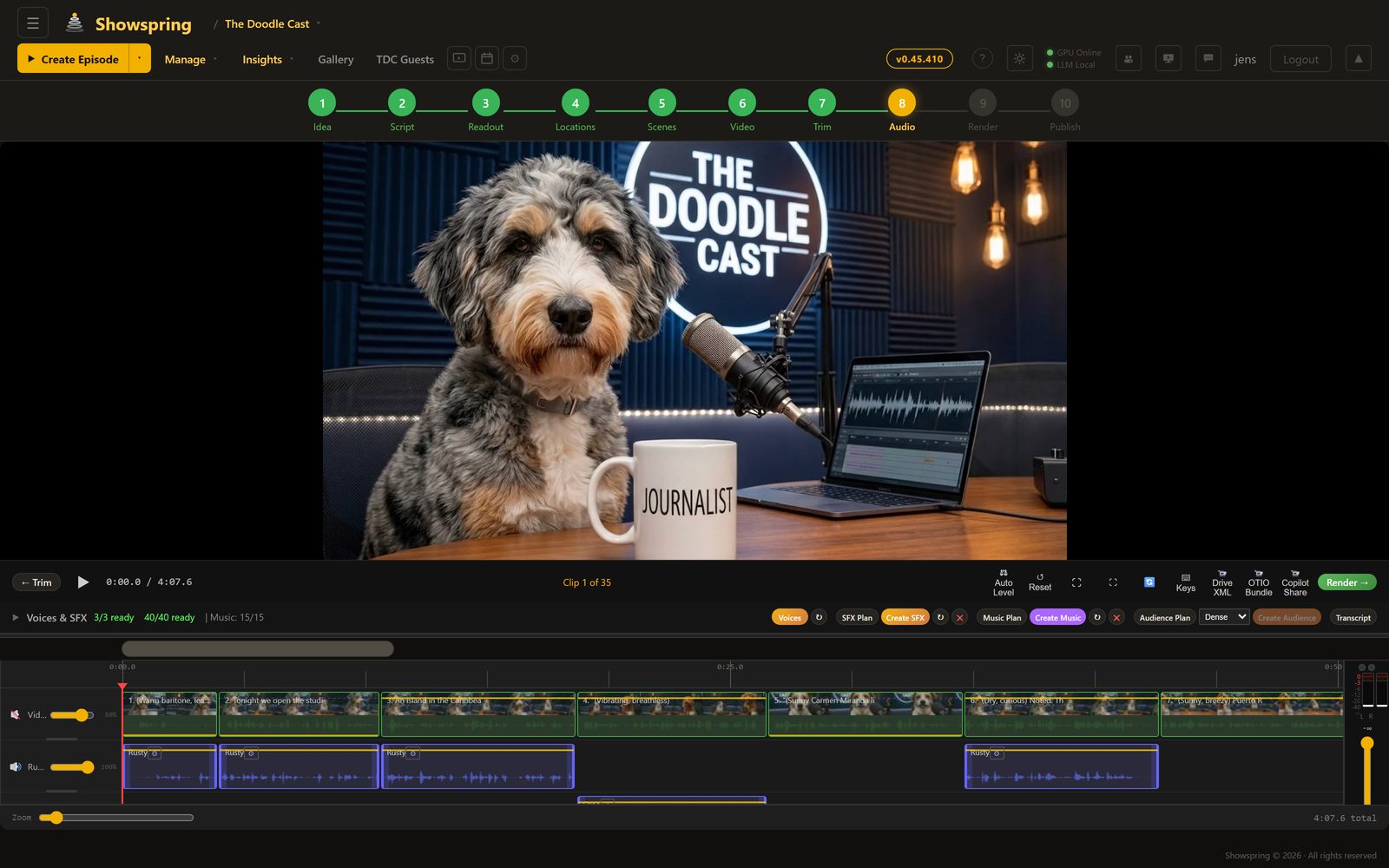
Audio Mix

A full multi-track audio editor with four lanes: background video audio, voice dialogue, sound effects, and music. Each track has independent volume control with keyframe automation. Generate SFX and music from text descriptions, position them on the timeline, and fine-tune the mix — all inside the browser.

4-Track Mix Keyframe Automation AI Sound Effects AI Music ElevenLabs
Multi-track audio editor with waveforms and keyframes
Step 09

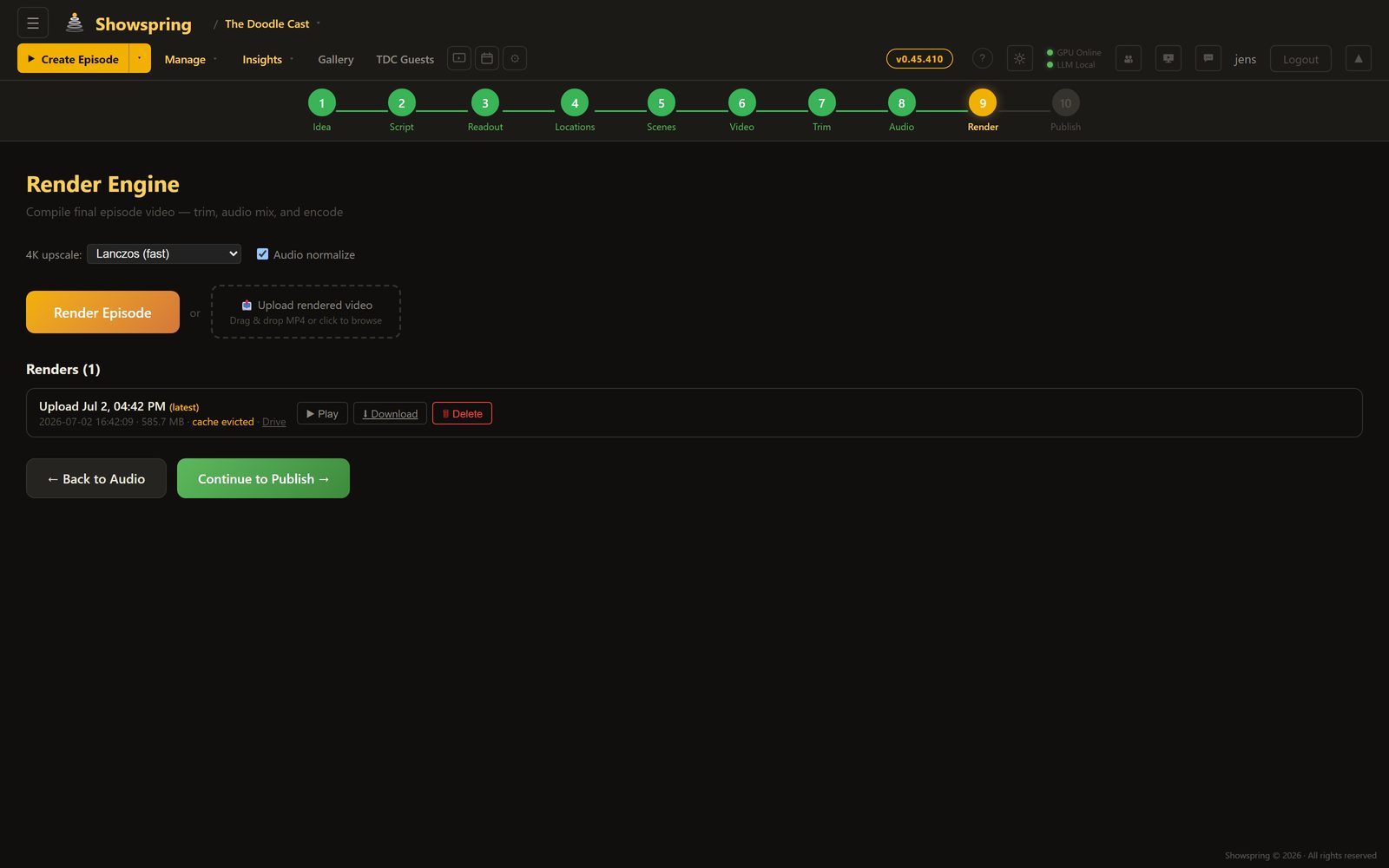
Render Engine

One button, full episode render. The engine trims each clip, applies the complete audio mix with ffmpeg filter graphs, concatenates everything (including the outro), and encodes the final MP4. When the RTX 5090 is online, encoding runs on NVENC for speed; otherwise, VPS CPU fallback handles it. Output goes straight to Google Drive.

ffmpeg Compositing NVENC / H.264 Google Drive Upload HLS Streaming
Render engine with progress tracking and video player
Step 10

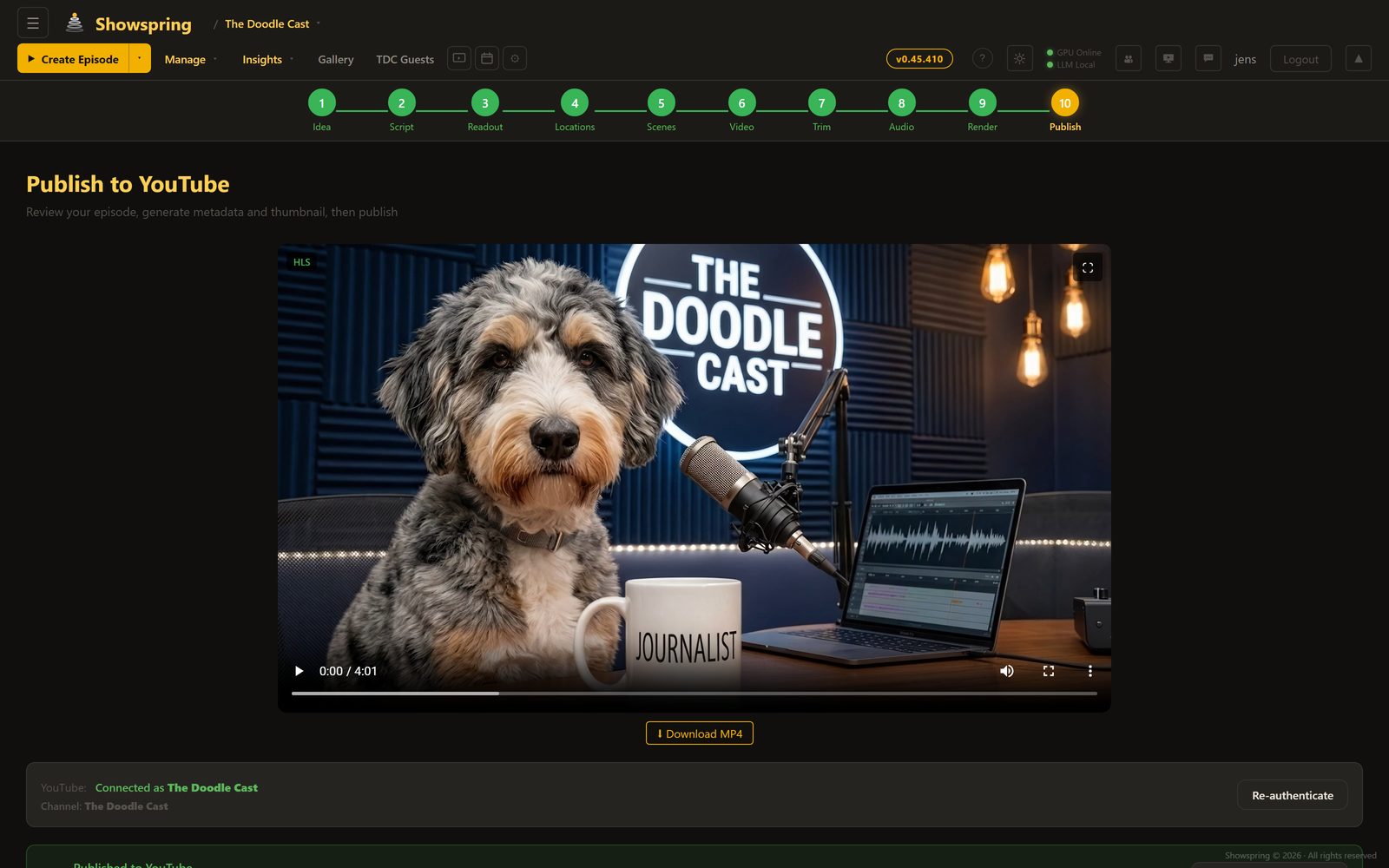
Publish to YouTube

Generate multiple AI thumbnails for A/B testing, write metadata with Claude, set tags and categories, then publish directly to YouTube — with real-time upload progress. The show bible automatically evolves after each published episode, learning what works for future content.

YouTube API AI Thumbnails A/B Testing Claude Metadata Show Bible Evolution
YouTube publish with AI thumbnails and A/B testing

Everything a studio needs, built in

Beyond the 10-step pipeline, the Creator includes a full suite of persistent production tools that carry knowledge across episodes.

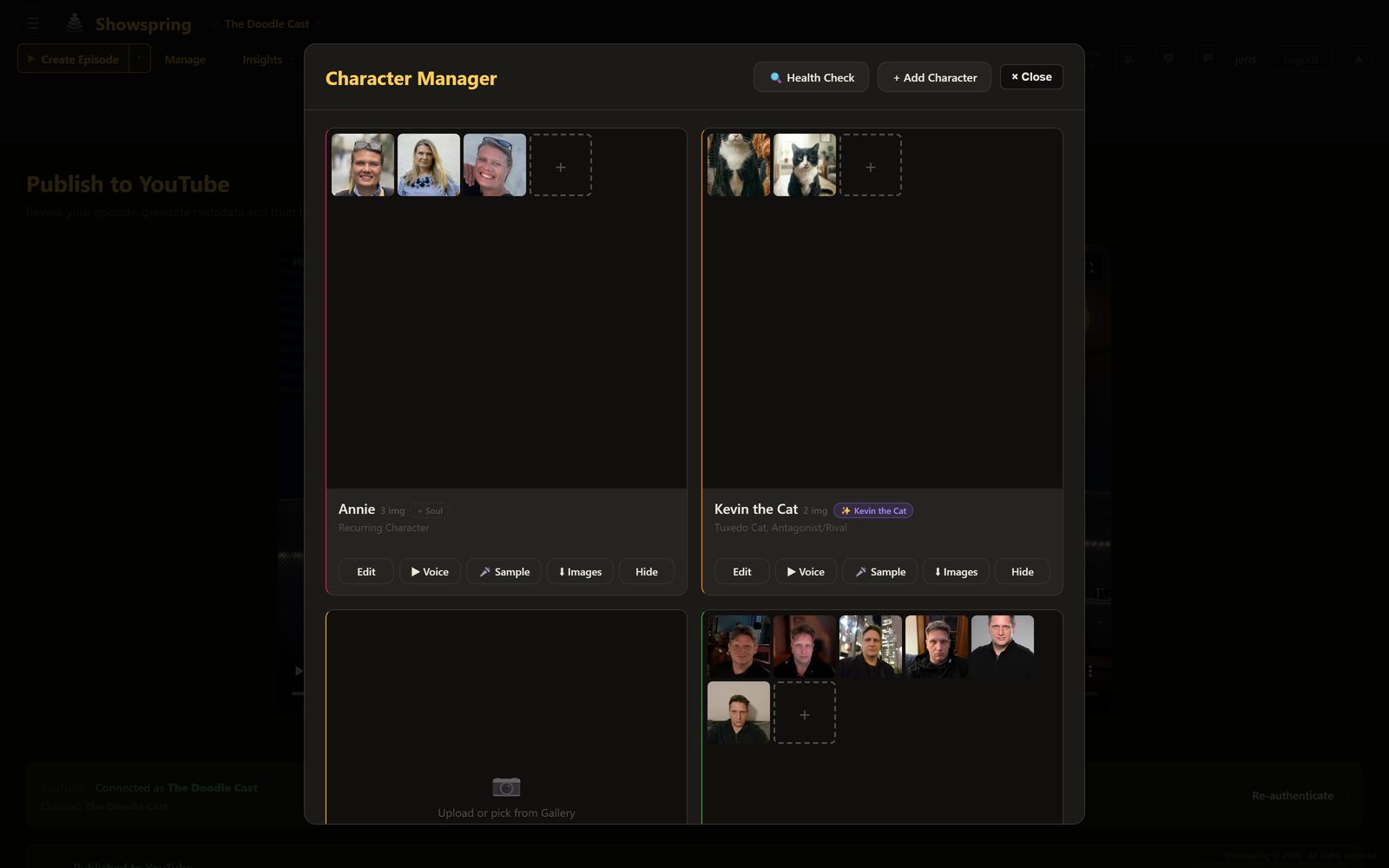
Characters

Character Manager

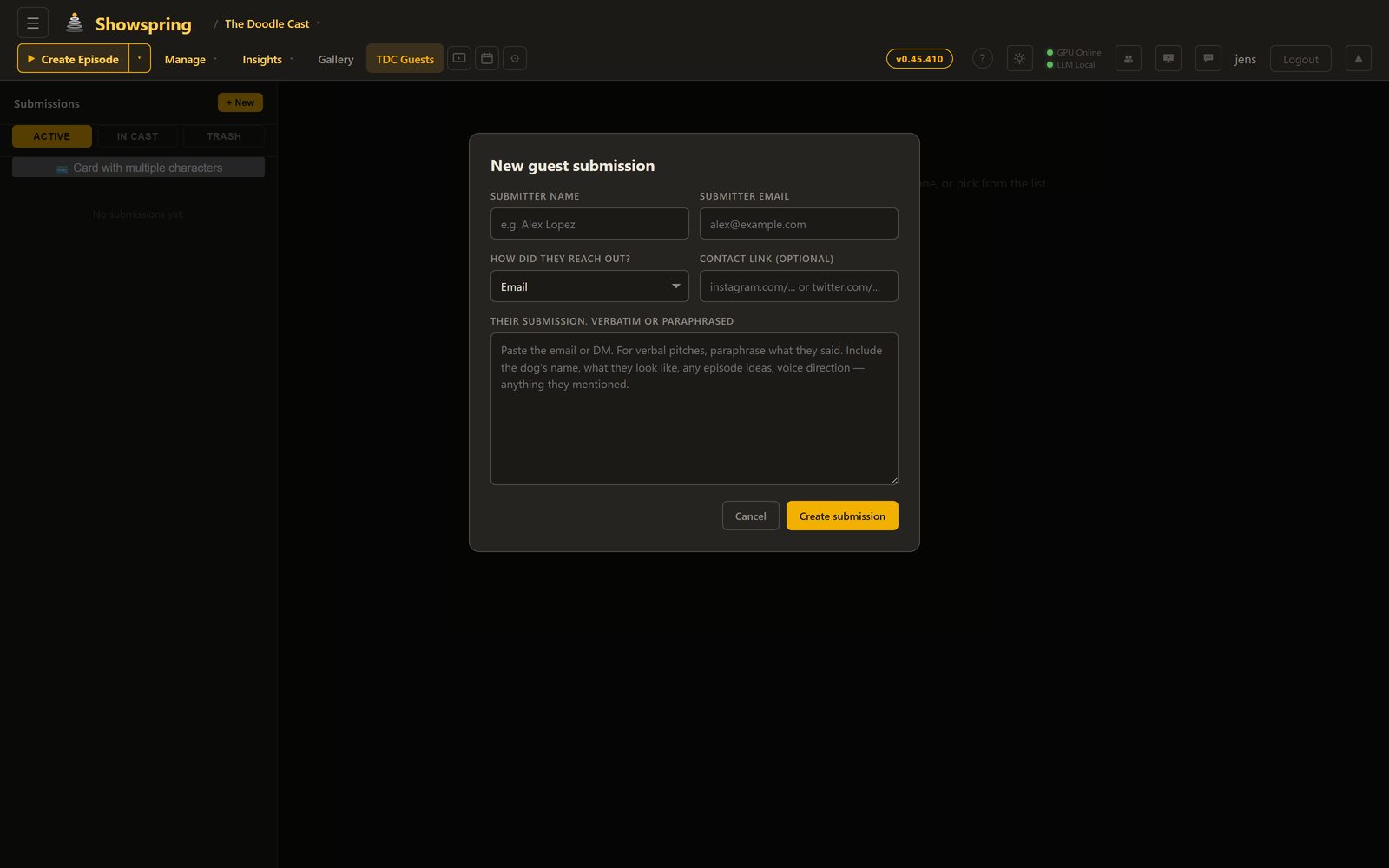
Define characters with role, personality, visual description, and speech style. Upload reference images for consistent AI generation. Assign ElevenLabs voice profiles with preview playback. Characters persist across all episodes and inform every AI generation.

Character manager with reference images and voice profiles
Episodes

Episode Library

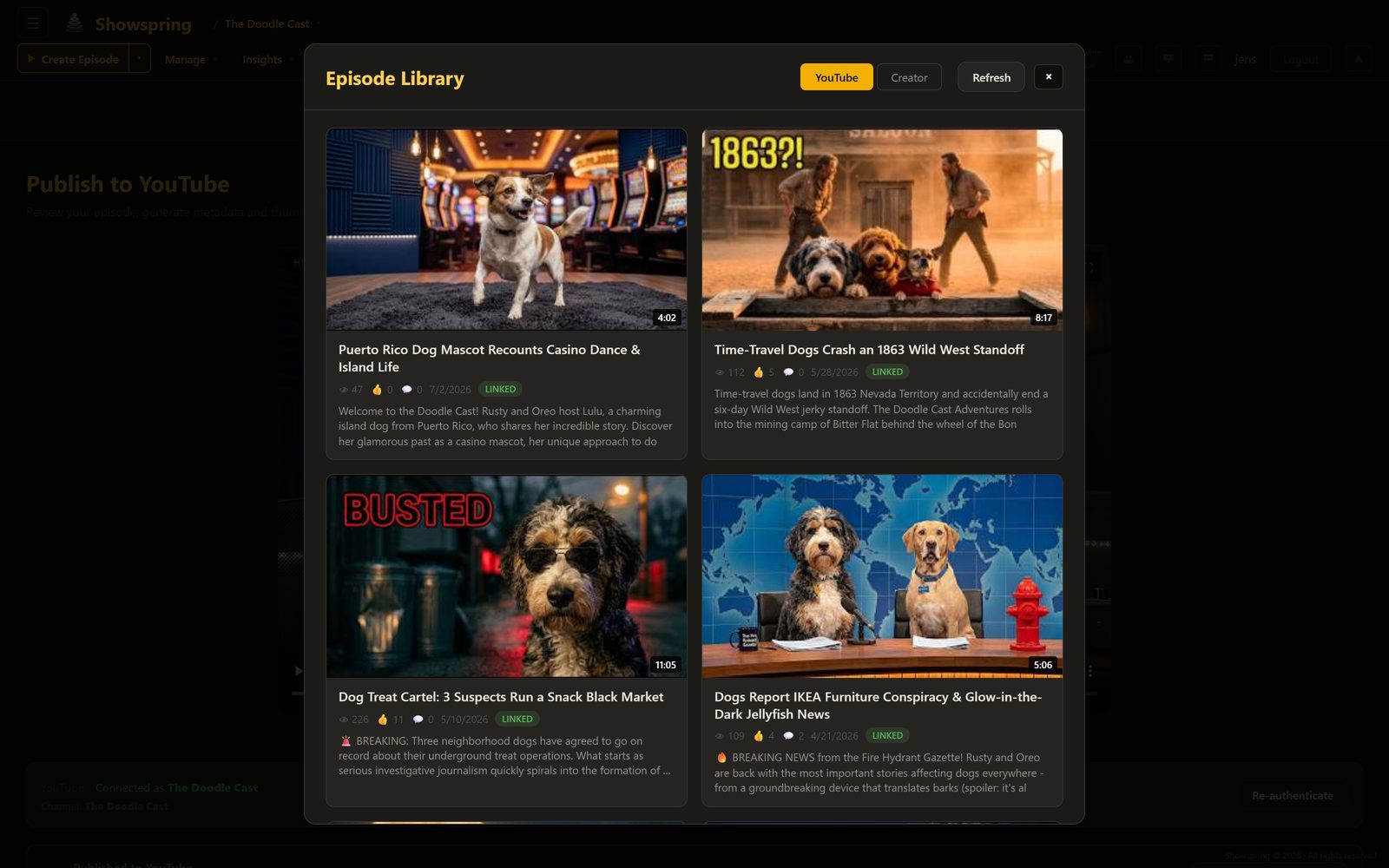
A complete production dashboard showing every episode across all stages of development — from draft ideas to published videos. Filter by status, search by title, and jump directly into any production step.

Episode library with status filters and thumbnails
Gallery

Media Library

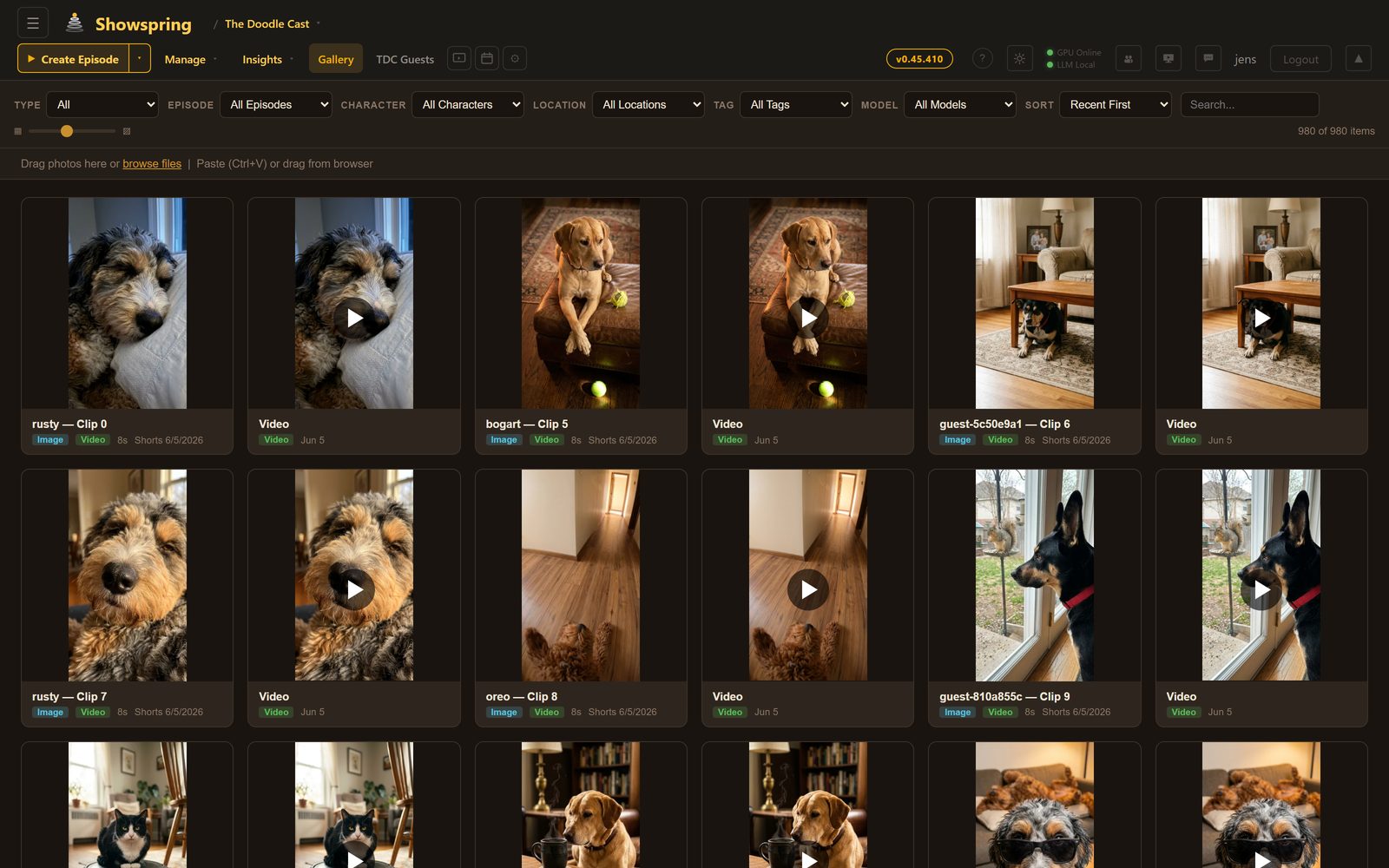
Centralized asset management for every image and video across all episodes. Browse by model, date, or episode. Drag-and-drop upload, crop, rotate, and adjust — all with full undo support.

Media gallery with episode thumbnails and video previews

YouTube Shorts Production Pipeline

A complete parallel pipeline for producing batches of vertical short-form content. Generate 8 shorts at once from a single theme, each with unique characters, dialogue, AI-generated images and video, voice synthesis, and music — then publish across five platforms with scheduled auto-publishing.

Shorts — Step 1

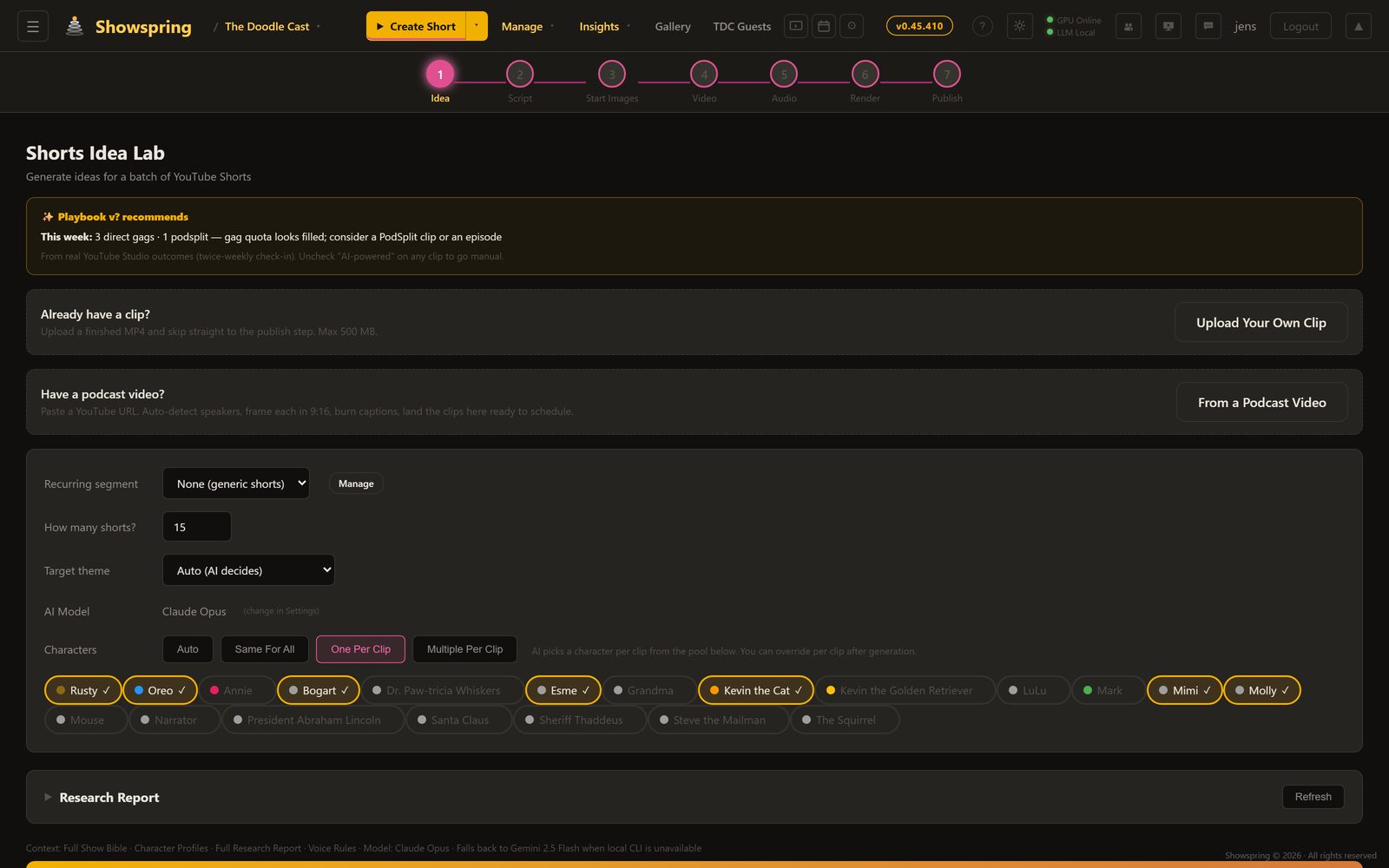
Idea Lab

Generate up to 8 short ideas at once from the show’s character pool. Choose the AI model (Gemini Flash, Llama, Gemma, Qwen, or Claude), assign characters per clip or let the AI decide, and feed in a YouTube research report for topical relevance. Each idea gets a title, hook, concept, and character assignment — all in one batch generation.

Configurable LLM Batch Generation Research Report Character Pool
Shorts Idea Lab with LLM model selection and character assignment
Shorts — Step 2

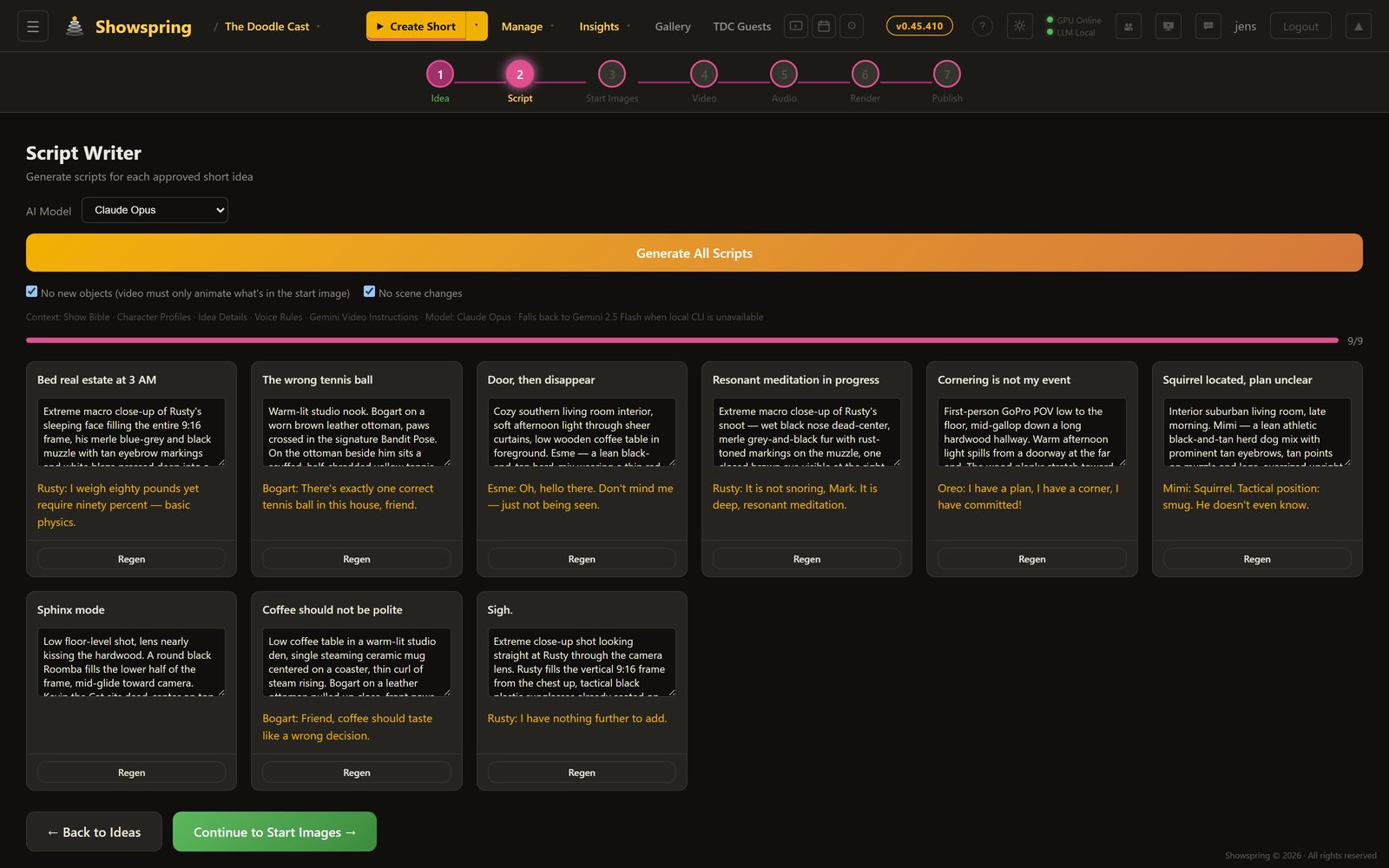
Script Writer

Generate scripts for all clips in batch. Each script includes a scene description (for the still image), character description, video action prompt (for I2V animation), and 8–12 word dialogue. Rules enforce no new objects mid-scene and no scene changes — keeping each short visually coherent for image-to-video generation.

Scene + Video Prompts 8–12 Word Dialogue Voice Rules Batch Processing
Shorts script writer with scene descriptions and dialogue
Shorts — Step 3

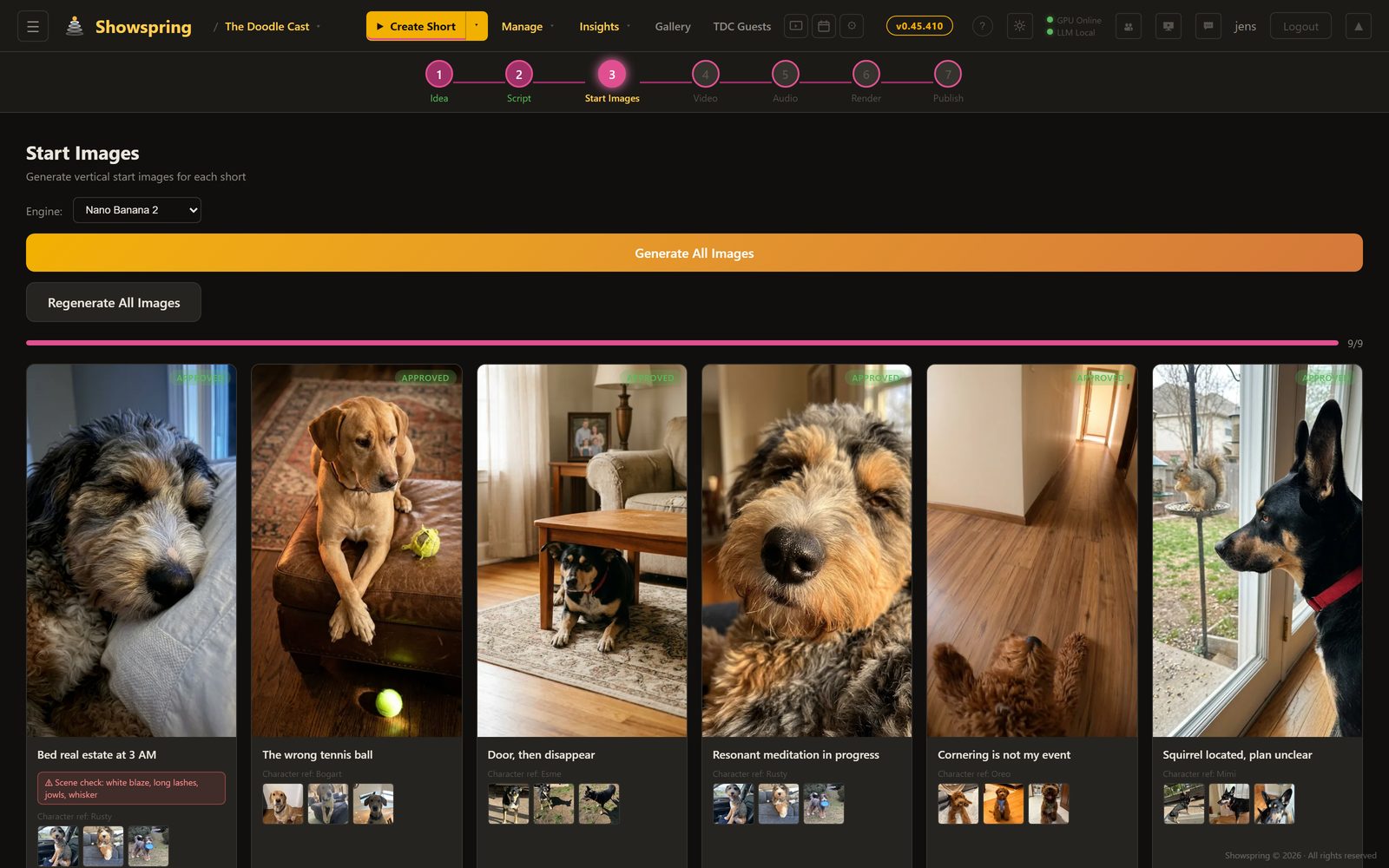
Start Images

Generate the starting frame for each short using AI image models. Choose between Gemini, Z-Turbo, SDXL, or Qwen — each producing photorealistic 9:16 vertical images informed by character reference sheets and scene descriptions. Full image history with undo and per-clip regeneration.

Gemini Image Z-Turbo 9:16 Vertical Image History
Start image generation with AI models and character references
Shorts — Step 4

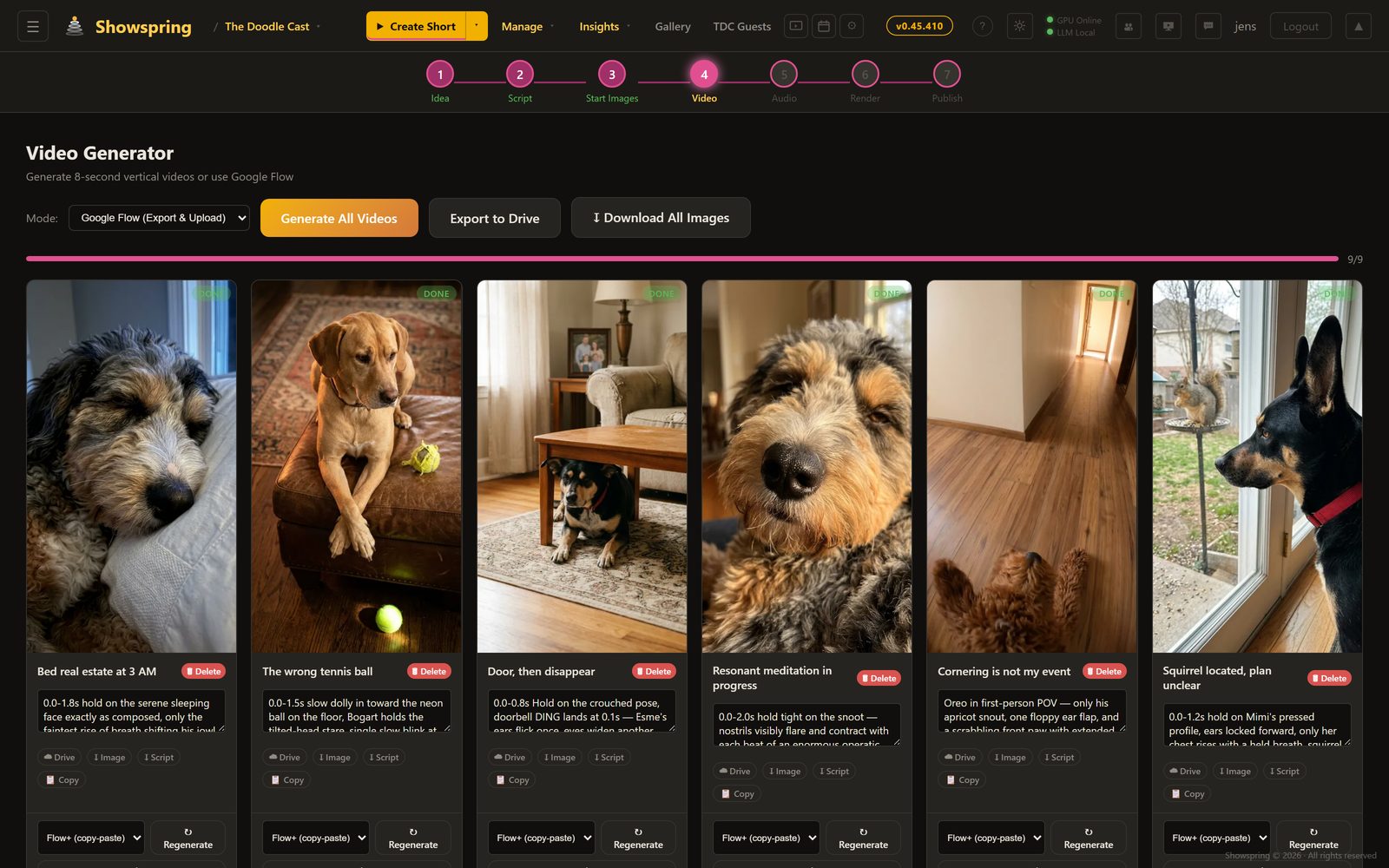
Video Generation

Transform each starting image into an 8-second animated clip using image-to-video models. Google Veo for production quality, or WAN 2.2 / LTX on the local RTX 5090 for free iterations. The video action prompt from the script drives the animation — subtle movements, camera pans, character expressions.

Google Veo WAN 2.2 I2V LTX 2.3 RTX 5090
Video generation from start images using Veo and local GPU
Shorts — Step 5

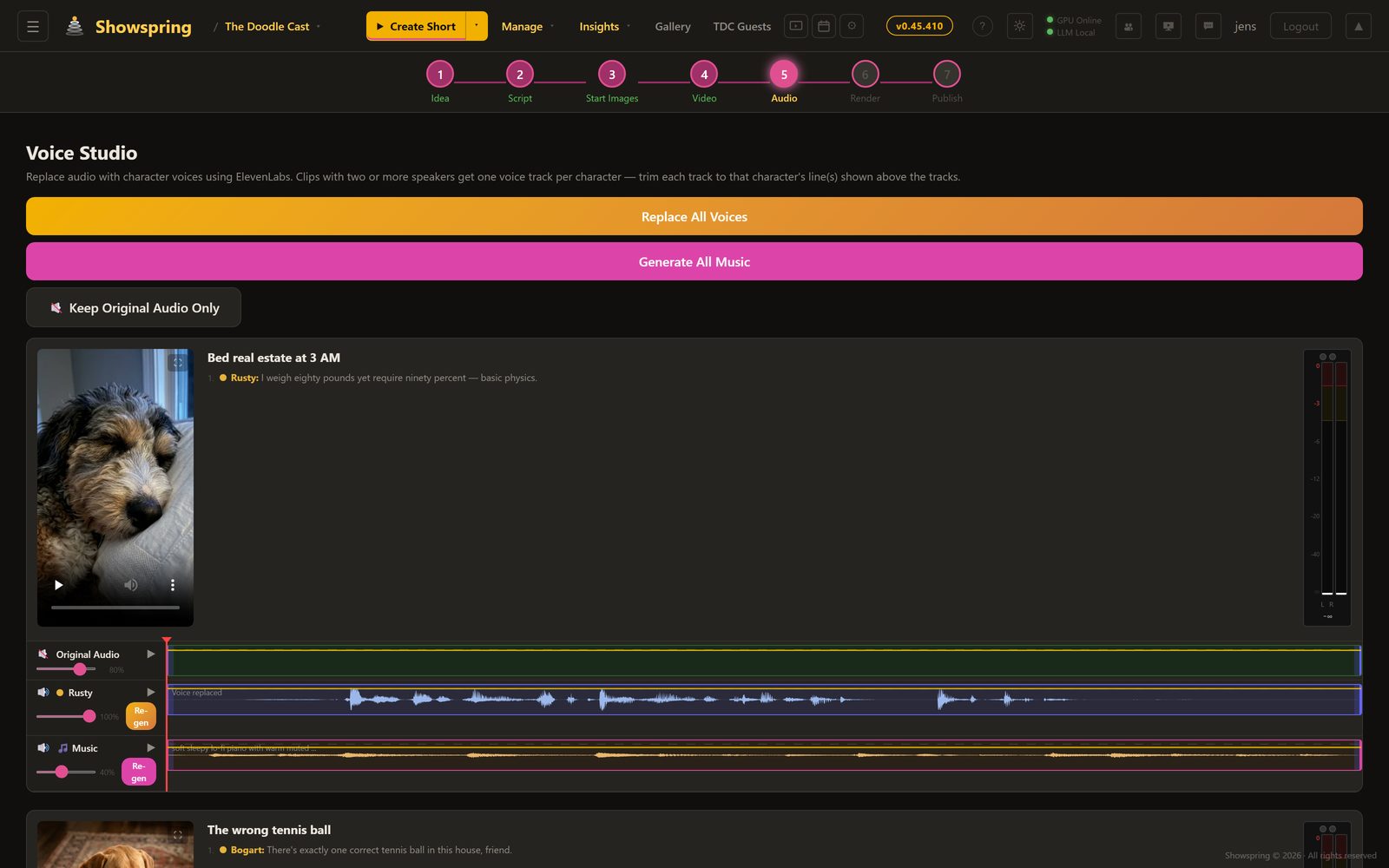
Voice Studio

Replace audio with character voices using ElevenLabs. Each short gets a multi-track audio view: original video audio, per-character voice tracks, and AI-generated background music. Batch-replace all voices with one click, or fine-tune individual clips. Music generation creates custom background tracks that match each short’s mood.

ElevenLabs Per-Character Voices AI Music Multi-Track Audio
Voice Studio with multi-track audio and music generation
Shorts — Step 6

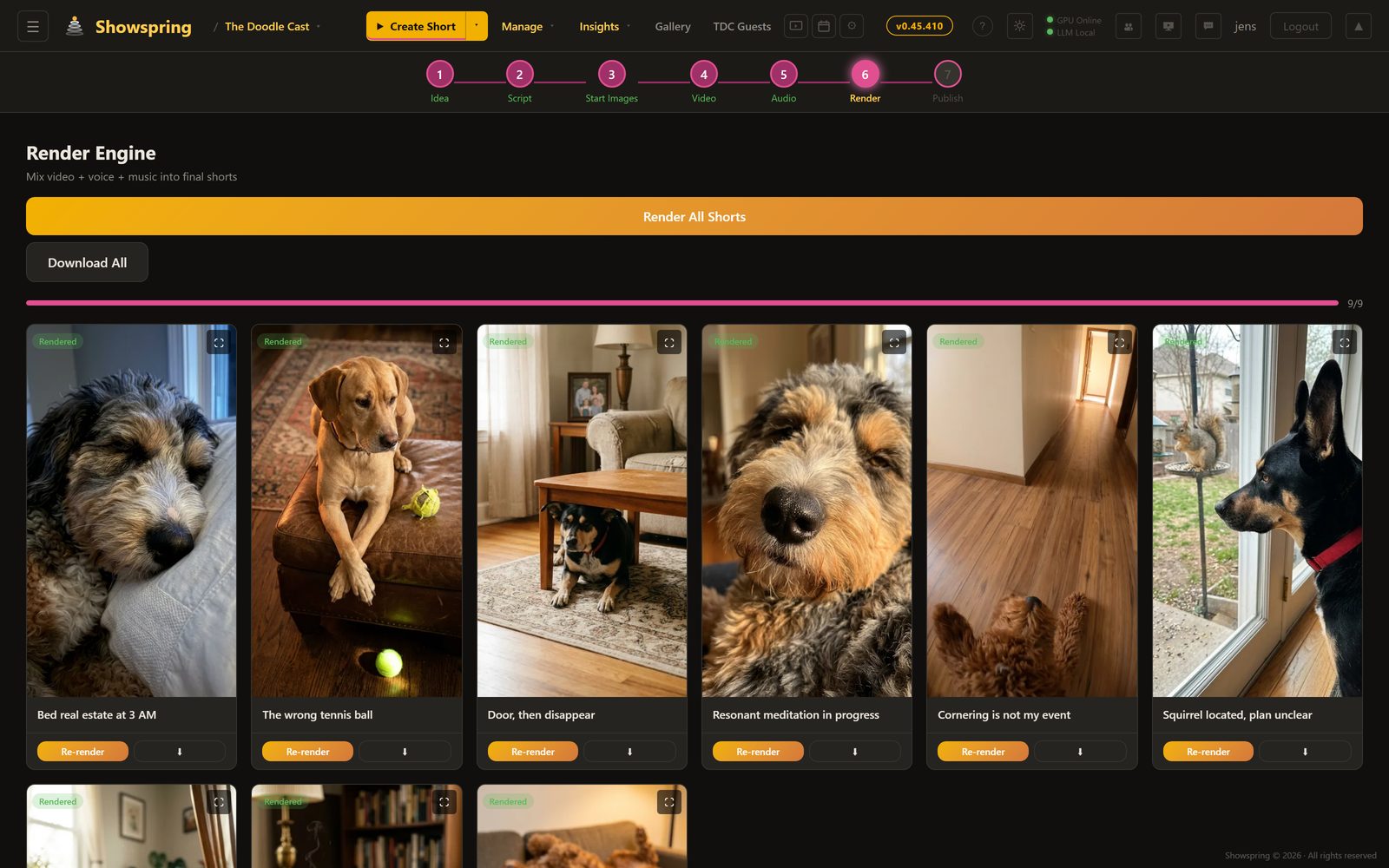
Render Engine

Mix video, voice, and music into final MP4s using ffmpeg. Each clip gets independent volume control for original audio, voice, and music tracks. Render all 8 shorts in one click or selectively re-render individual clips. Output uploads to Google Drive automatically and is available for immediate download.

ffmpeg Compositing 3-Track Audio Mix Google Drive Upload Batch Render
Shorts render engine with batch processing
Shorts — Step 7

Publish & Schedule

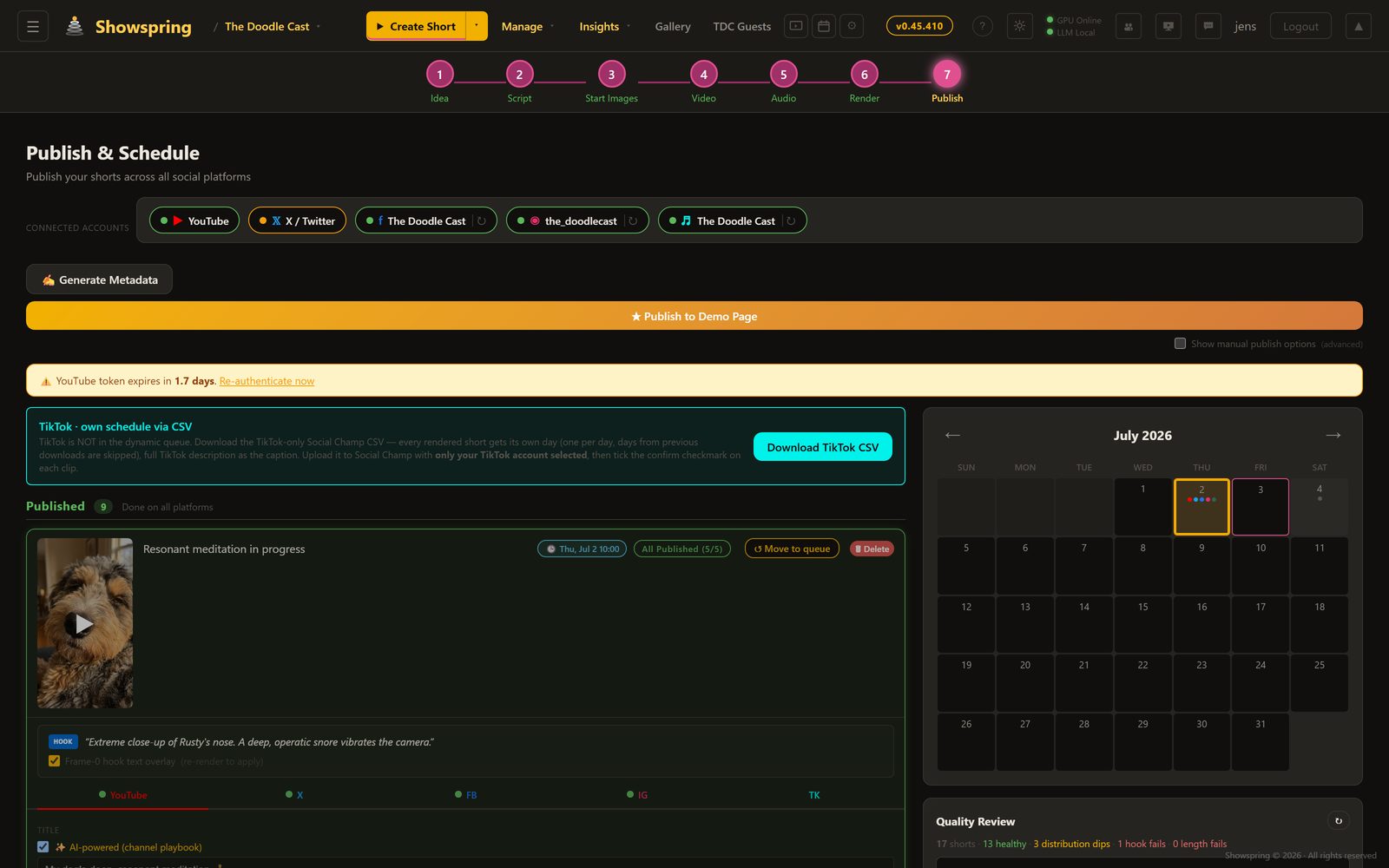
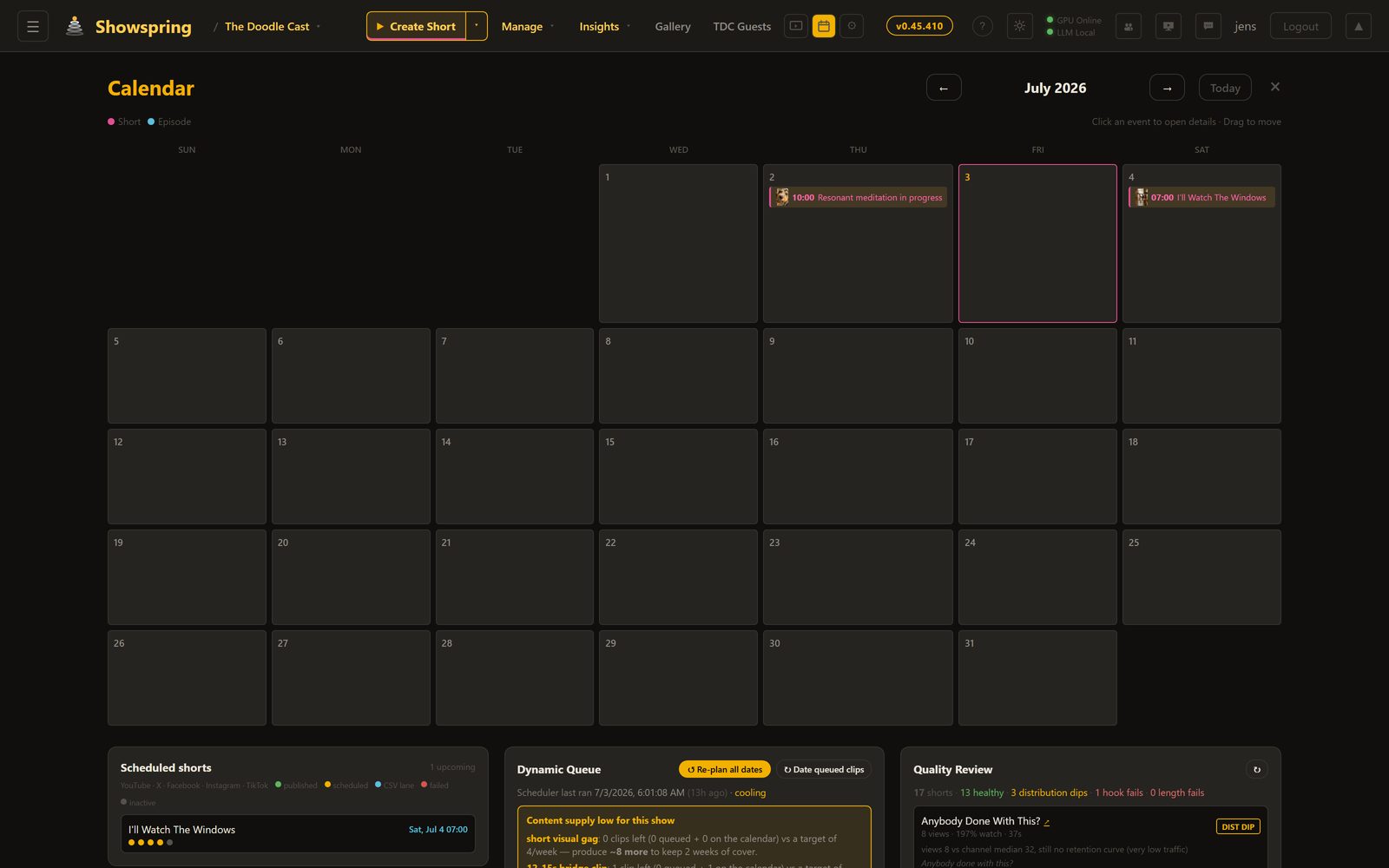
Publish shorts to YouTube, Facebook, Instagram Reels, TikTok, and X (Twitter) from a single dashboard. Each platform has its own tab with OAuth authentication, AI-generated metadata, and publish controls. Schedule posts with a visual calendar, get AI-recommended posting times based on channel analytics, and let the auto-publisher fire at the right moment. Missed schedules trigger email alerts.

YouTube Facebook Instagram Reels TikTok X / Twitter Auto-Publisher AI Scheduling
Multi-platform publish dashboard with scheduling calendar

Podcast Creator

A complete 7-step audio-only production pipeline. Generate conversational podcast episodes where the show’s characters discuss real topics — with multi-voice dialogue, AI-generated cover art, and direct publishing. Perfect for building a complementary audio feed alongside the video channel.

Idea & Script

Podcast Idea Lab

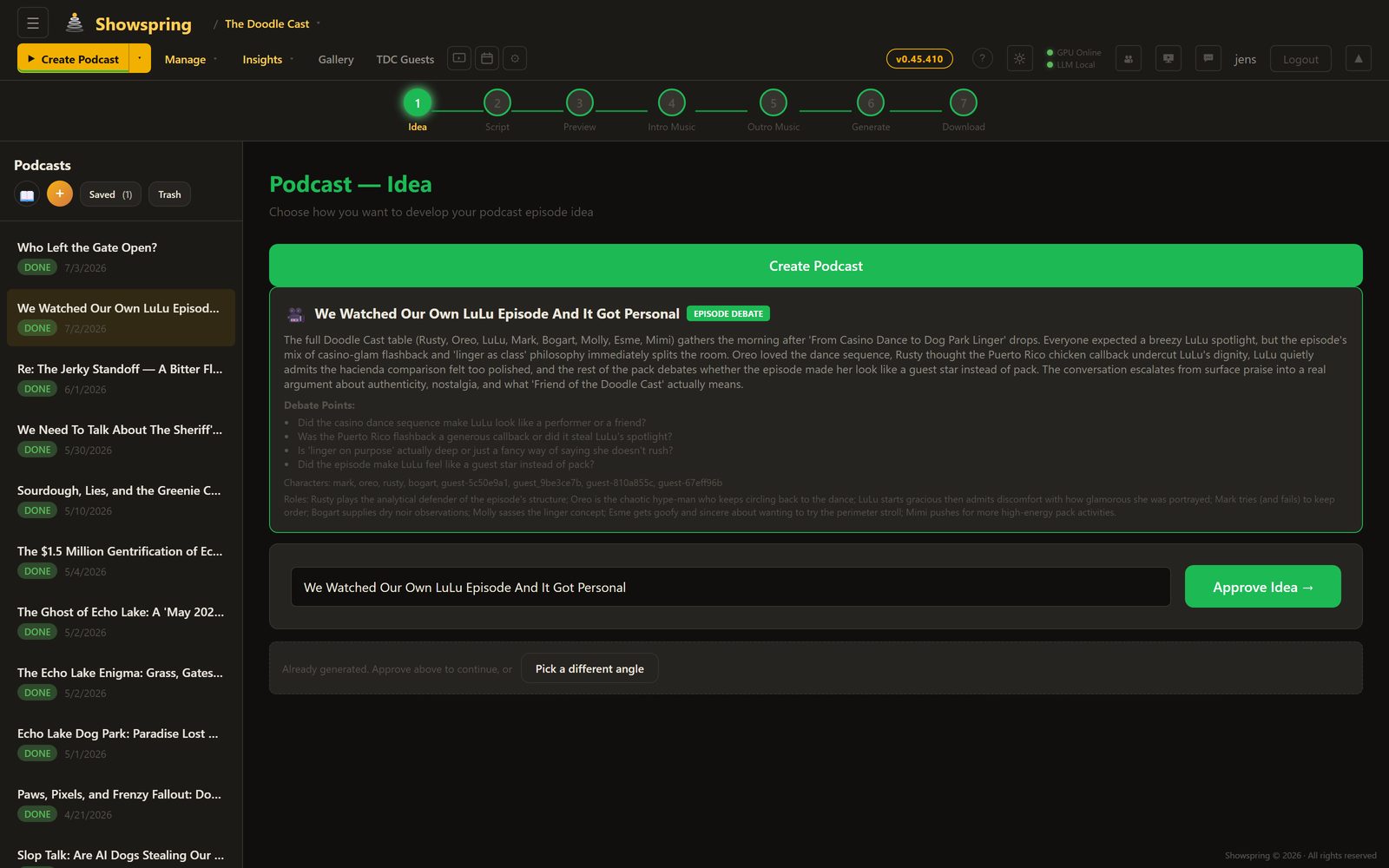
Three modes: AI-recommended pitches with Grok scoring, bring your own idea, or Research & Debate with live web research. Scripts include multi-character dialogue with ElevenLabs voice directions and configurable target length (2–120 minutes).

Podcast Idea Lab with three creation modes
Dialogue

Multi-Character Script

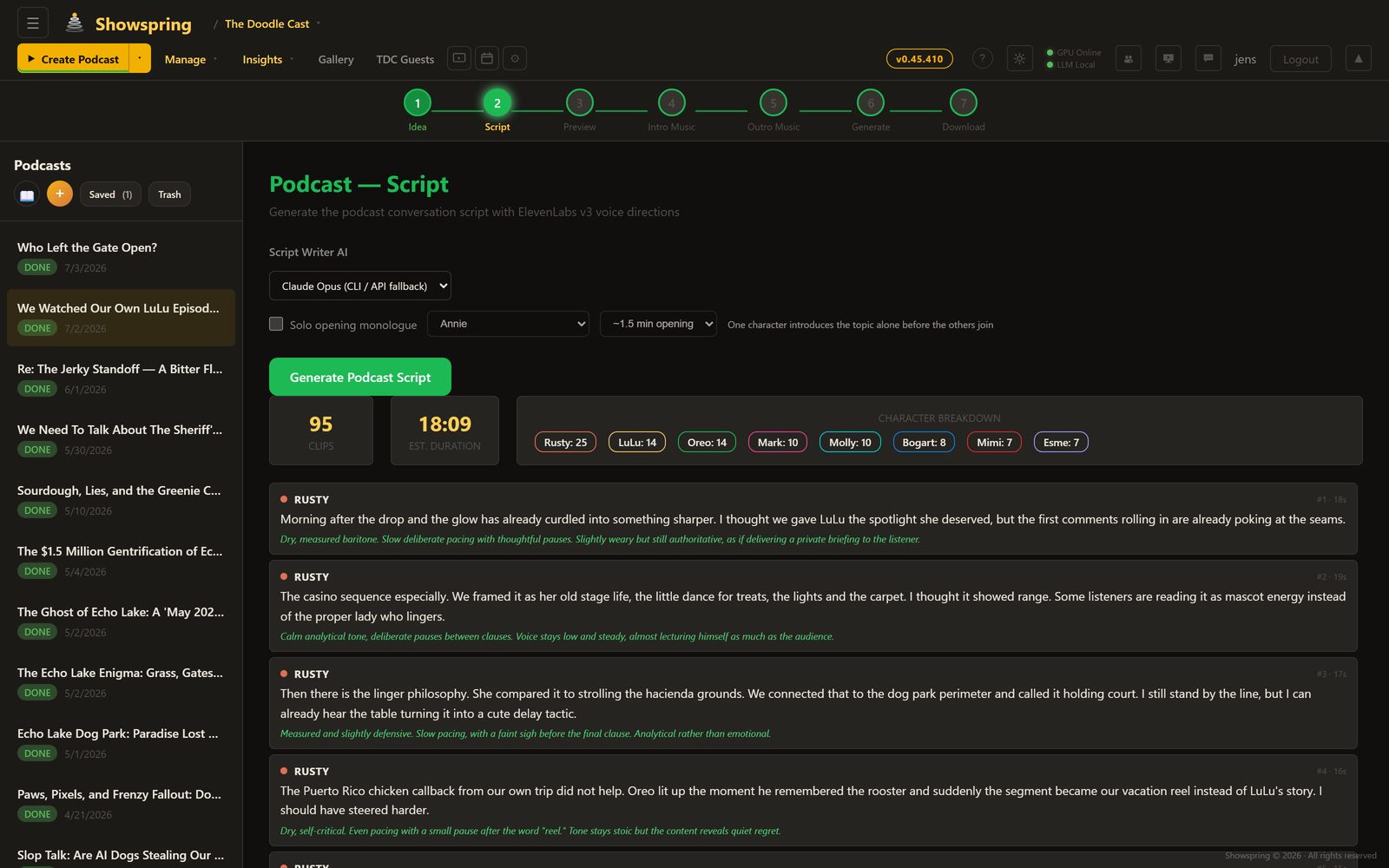
Full conversation scripts with character dialogue, word count tracking, and duration estimates. Choose your LLM (Grok 4, Gemini, Claude, or local models) and generate scripts grounded in the show bible for character consistency.

Podcast script with multi-character dialogue
Preview

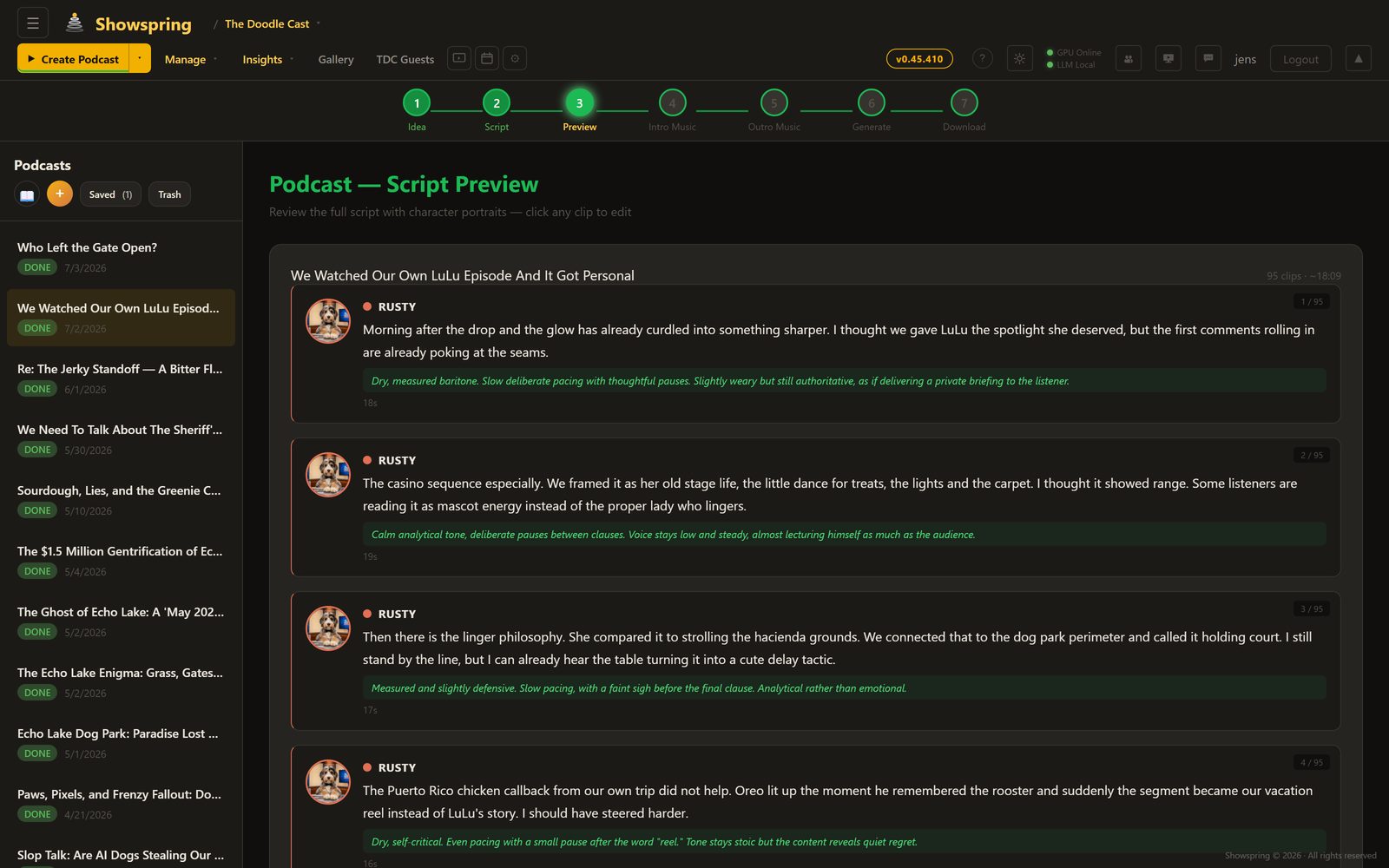
Script Preview & Publish

Full episode preview with character avatars, color-coded dialogue, and a sidebar listing all podcast episodes. Review the complete conversation flow before committing to voice generation and audio production.

Podcast script preview with character avatars
🎤

Multi-Voice Dialogue

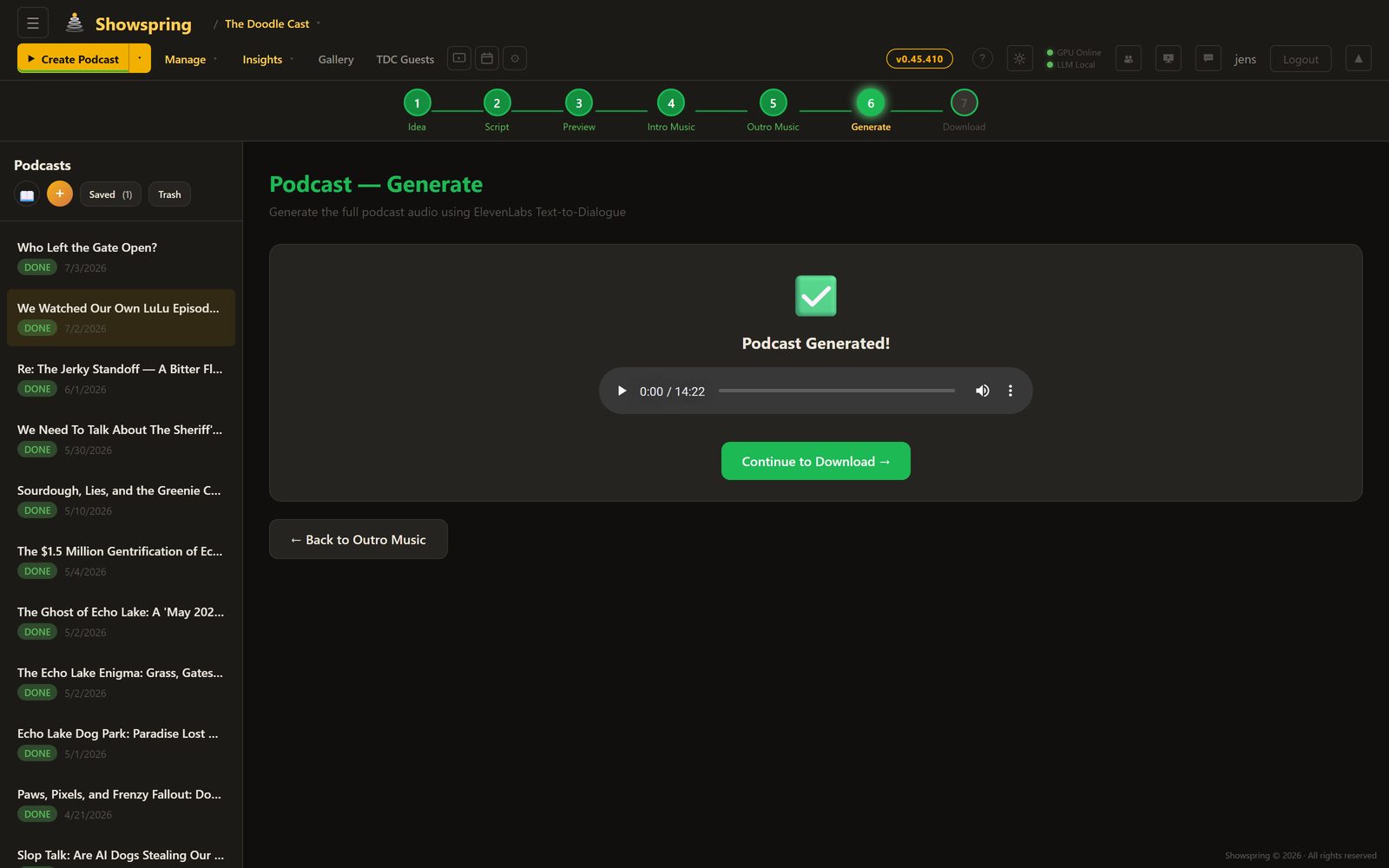
ElevenLabs Text-to-Dialogue API generates natural conversations between multiple characters in a single audio stream. Each character maintains their unique voice profile with proper conversational pacing and turn-taking.

🎵

Audio Production

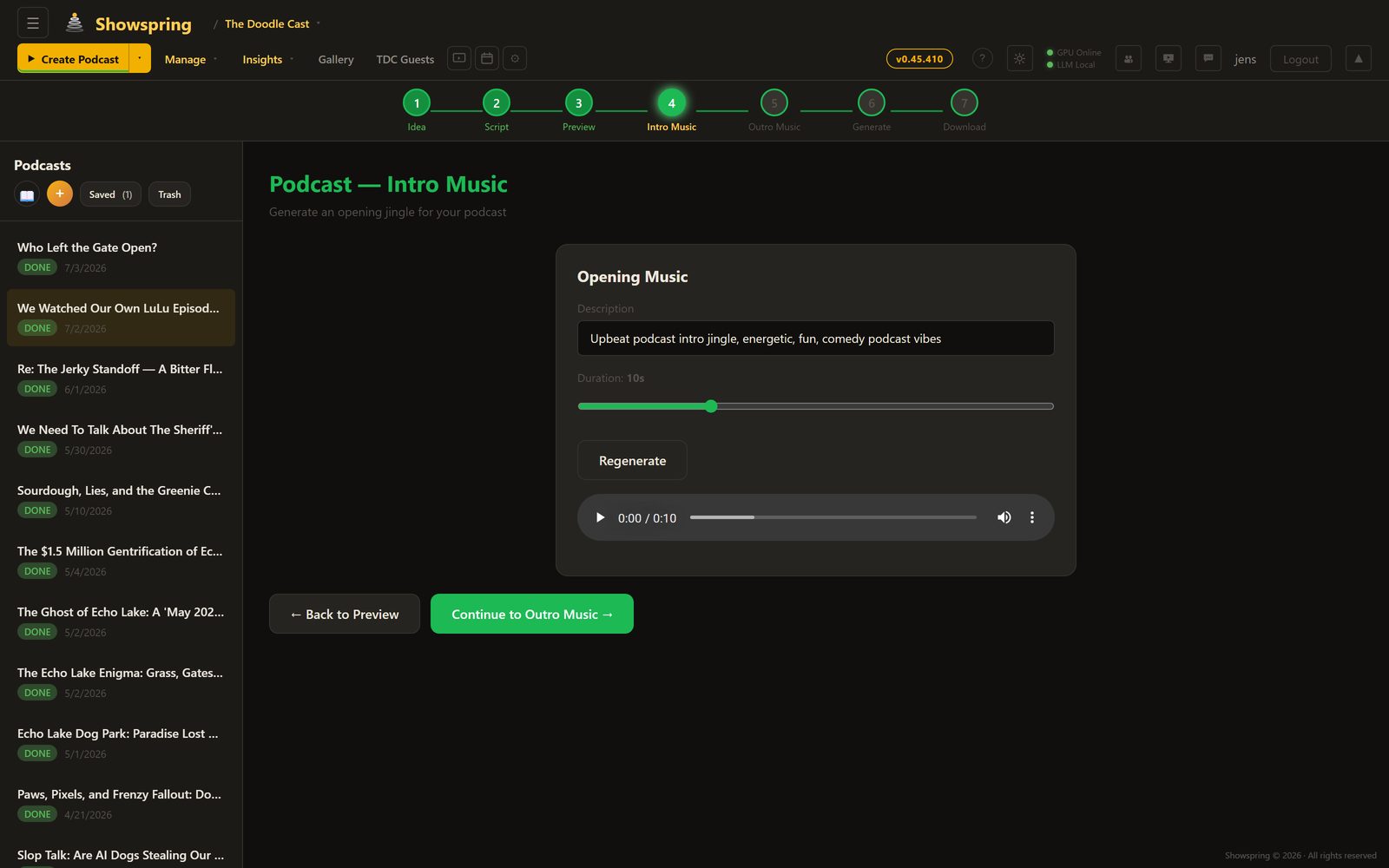
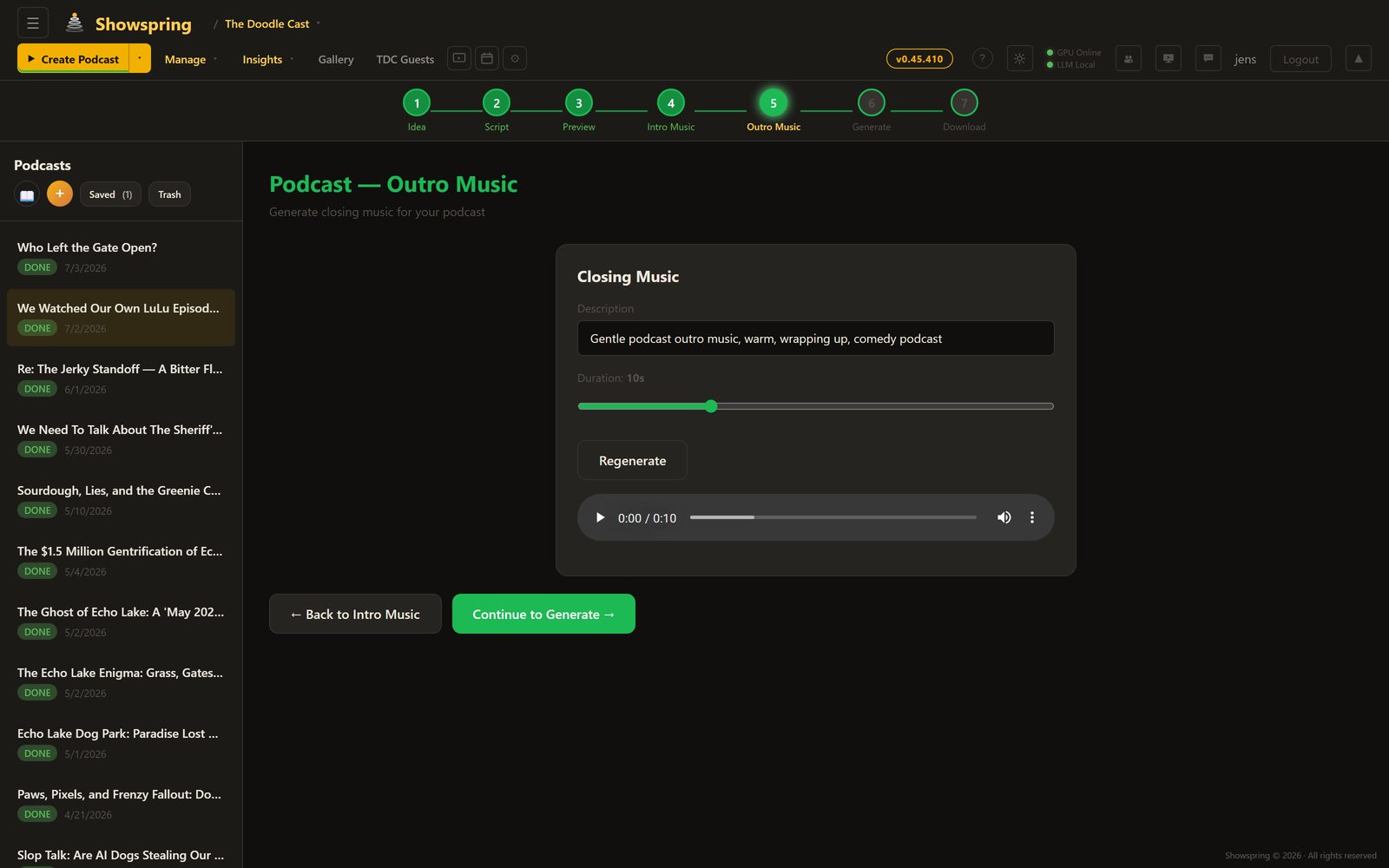
Auto-generated intro/outro music, configurable silence gaps, act-based script batching for long episodes (15+ minutes), and target duration control. The pipeline produces publish-ready audio without manual editing.

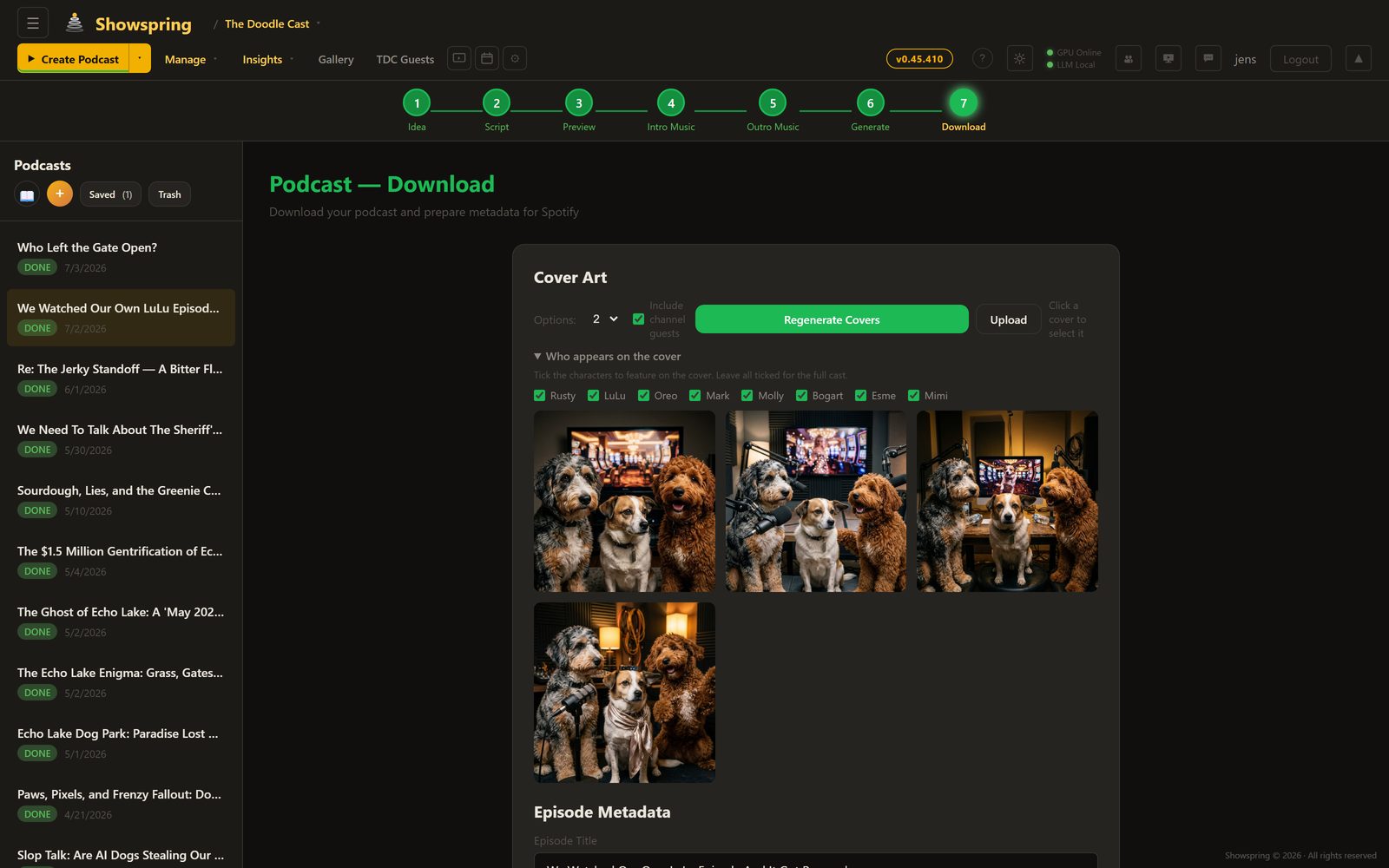
🎨

AI Cover Art

Generate up to 4 cover art variants per episode using Gemini, informed by character reference images and episode context. Pick the best one or regenerate.

📢

7-Step Pipeline

Pitch → Script → Voices → Cover Art → Audio Mix → Preview → Download & Publish. Each step builds on the last with full state persistence across reloads.

Fire Hydrant Gazette — Late-Night News Comedy, Reimagined

A complete news-desk segment system inspired by classic late-night news comedy. Extensible segment templates define format rules, comedy mechanics, joke formulas, and visual style — all baked into the AI script generation.

📰 Segment Templates

Extensible segment type system. Each template (e.g. The Fire Hydrant Gazette) has its own format rules, comedy mechanics, 12 joke formulas distilled from classic news-desk comedy, voice profiles, guest correspondent arcs, and a dedicated comedy bible layer. Templates are code-canonical and upsert on boot.

🎬 OTS News Graphics

Character-positioned over-the-shoulder graphics, matching real news-desk broadcasts. Rusty sits left → OTS on the right. Oreo sits right → OTS on the left. Configurable X/Y/Width per segment type with live-preview sliders. 4:3 landscape ratio. Composited in the final render via ffmpeg overlay filter on both VPS and GPU paths.

🎧 Audience Reaction Track

Comedy segments get per-template audience reactions — laughter, applause, gasps. Generated via ElevenLabs sound effects, mixed as a fifth audio track in all render pipelines (VPS CPU, 5090 GPU, HLS, DaVinci export).

🎤 Per-Segment Intro Clips

Each segment type can have its own intro video (uploaded in Settings, toggle on/off). Appears in the timeline with a cyan border, included in HLS, VPS fallback, and DaVinci export render pipelines. Cache hash includes intro for invalidation.

📡 Discord Auto-Announcements

New episodes, shorts, gazette articles, and podcast episodes are automatically posted to the fan Discord server via an internal HTTP announce API. Non-blocking hooks — publish failures never block the response. 6 distribution channels now: YouTube, Facebook, Instagram, TikTok, X/Twitter, and Discord.

🖼 Scene Image Enhancements

Gallery picker on empty scene slots. Drag-to-copy images between clips in the timeline (chain-draggable). Per-clip topic image toggle (show/hide OTS graphic). Image history with undo. Topic images visible across scene thumbnails, video timeline, and start/end frame previews.

🎭 Comedy-First Script Instructions

Rewritten comedy bible based on research from professional late-night comedy writers. Kill-your-first-thought rule, write-30-keep-5 method, punchlines-pivot-away principle, factual setups, and tight two-line joke structure. Static camera instruction for news desk realism.

📷 Real Web Photo Picker

Brave Image Search API for sourcing real news photos as OTS graphics. Choose between AI-reimagined versions or real photos as-is. Photo credit metadata captured for on-screen attribution. Replaced DDG scraper (ToS violation).

iPad & PC Image Watcher

A dual-source image pipeline that monitors Google Drive (for iPad drawings) and a local PC folder simultaneously. New images are automatically detected and queued for approval — no manual upload needed. Combined with start/end image slots, this enables a smooth hand-drawn-to-AI-video workflow.

📱

Dual Source Monitoring

Google Drive polling (every 10s) for iPad-sourced images plus browser-based local folder watching (File System Access API) for PC files. Both feed into the same approval queue with LED status indicators.

Approval Workflow

Every detected image queues for visual approval: side-by-side comparison of current vs. new image, with options to set as start image, end image, or discard. A visual clip picker grid allows reassigning to any scene.

🖼

Start & End Images

Each scene now supports separate start and end frames for image-to-video generation. Swap, edit, or AI-modify either image independently. The video engine uses both to produce smoother motion between key frames.

📂

Drive Export

Export character references, location images, and scene references to Google Drive per clip — creating organized folders for external AI tools or team collaboration.

Grok 4 deep-research scripts

A new script generation mode that leverages Grok 4’s live web search to produce fact-heavy, current-events scripts. Instead of relying solely on the show bible, Research & Debate mode conducts real-time web research on the episode topic, then generates scripts grounded in verified facts and recent developments.

🔍

Live Web Research

Grok 4 searches the web in real-time for the episode topic, pulling current facts, statistics, and developments. The research context is injected directly into script generation for factual accuracy.

💬

Debate-Style Dialogue

Characters engage in informed discussion with real data points. The show bible context ensures characters stay in-character while discussing factual content, producing educational yet entertaining scripts.

Configurable LLM models per step

v1.1 introduces per-step model selection. Choose which LLM powers each creative stage — Episode Ideas, Episode Scripts, Shorts Ideas, and Shorts Scripts can each use a different model. Switch between local Ollama models (zero API cost) and cloud models (Gemini, Claude) depending on your quality and speed requirements.

💡

Episode & Shorts Ideas

Choose from Gemini 2.5 Flash, Llama 3.1, Gemma 12B, Qwen 8B, or Claude. Local models run free on the RTX 5090; cloud models deliver higher quality for production batches. The model selector appears directly in the Idea Lab.

📝

Episode & Shorts Scripts

Script generation supports the same model selection. Each model brings a different narrative style — Gemini excels at concise dialogue, Claude at long-form structure, and local models at rapid iteration.

Where it sits in the market

The AI video market is fragmented into tools that each solve one piece of the puzzle. Generation engines produce stunning clips but can’t build a story. Automated pipelines assemble videos fast but rely on stock footage. Avatar platforms nail corporate presentations but can’t do cinematic scenes. And only one other tool even attempts full episodes — but it’s animation-only. DC Creator spans all of these categories.

🎬
Generation Engines
Runway, Kling, Veo, Pika, Luma — create individual clips from prompts. No pipeline beyond that.
Automated Pipelines
InVideo AI, Pictory, Steve AI, Fliki — script to finished video, but built on stock footage.
👤
Avatar Platforms
HeyGen, Synthesia — AI presenter format with TTS. Great for corporate, not for storytelling.
🎦
Episode Generators
Showrunner (Fable) — the only other tool that outputs full episodes. Animation-only, no publishing.

Feature-by-feature comparison

We picked the strongest competitor from each category. Every cell reflects publicly documented capabilities as of April 2026.

Capability
DC Creator
RunwayGen-4.5
InVideo AIPipeline
HeyGenVideo Agent
ShowrunnerFable
Full episode pipeline (idea → publish)
Yes10 autonomous steps
Noclip-by-clip
Partialsingle videos only
Partialpresenter format
Yesanimation only
AI-generated video (not stock footage)
YesVeo 3.1, WAN 2.2
YesGen-4.5, 16s max
Hybridmostly stock + Sora/Veo
Partialavatar + Sora/Veo B-roll
YesSHOW-2 model
Multi-character script generation
Yesdialogue & stage directions
Noprompt per clip
Basicnarration scripts
Basicsingle-presenter script
Yesauto-generated
Per-character voice synthesis
YesElevenLabs, distinct voices
BasicTTS audio node
Singleone narrator voice
Yes140+ languages
Yesper character
Visual consistency across 30+ scenes
Yesref images + locations
Partialref images, per clip
Nostock footage varies
Yesfixed avatars
Partialsimulation layer
DaVinci-style timeline editor
Yesmulti-track, keyframes
Nonode-based workflows
Notext-command editing
Noscene-based only
Nofully automated
Multi-track audio mix with keyframe automation
Yesvoice + SFX + music layers
No
Basicauto-matched music
Basicauto background music
No
AI-generated SFX & music
Yesper-scene generation
SFX onlytext-to-SFX node
Nolibrary music only
No
Episode-length output (5+ minutes)
Yesno clip limit
No16s per clip max
Yesup to ~5 min
Limited3 min Avatar IV cap
Yes2–16 minutes
Multi-platform publishing (5 platforms)
YesYT, FB, IG, TikTok, X
No
NoMP4 export
NoMP4 export
No
Auto-publisher with scheduled dispatch
Yes60s polling + email alerts
No
No
No
No
Cross-platform analytics dashboard
Yeslive refresh + 30-day trends
No
Basicviews only
Basicavatar analytics
No
Shorts / vertical content pipeline
Yes7-step batch pipeline
No
Basicsingle video only
No
No
Evolving knowledge base (show bible)
Yescharacters, lore, style
No
No
No
Partialcharacter sim layer
Hybrid cloud + local GPU rendering
Yescloud primary, local fallback
Cloud only
Cloud only
Cloud only
Cloud only
Open-source model support
YesWAN 2.2, LTX, SDXL
Noproprietary only
No
No
Noproprietary SHOW-2
No single platform currently combines generative AI video + multi-character scripting + per-character voice synthesis + multi-track audio mixing + multi-platform publishing + cross-platform analytics + a dedicated shorts pipeline into one autonomous system. The closest tools each cover 2–3 of these stages — DC Creator covers all of them.

How it all connects

A hybrid architecture where cloud APIs deliver the highest-quality generation (Veo, Gemini, ElevenLabs) while a local GPU provides open-source alternatives and hardware encoding. The VPS orchestrates everything, and each AI agent is purpose-built for its stage of the pipeline.

BROWSER (Vanilla JS SPA — 30,691 lines) VPS — 157.230.x.x (Ubuntu / Node.js / PM2) LOCAL GPU — RTX 5090 (32 GB VRAM) via SSH Tunnel CLOUD APIs PERSISTENT STORAGE Episode Wizard 10-step pipeline Shorts Pipeline 7-step batch mode Audio Editor 4-track waveform Video Timeline DaVinci-style Analytics Cross-platform Gallery Media library Multi-Publish 5 platforms 302 API endpoints Express.js Server 441 lines · 22 routers · 11 services Agent: Creative Director 3 LLMs debate + Grok judge Step 1 — Idea generation Agent: Script Writer LLM + Show Bible context Step 2 — Script generation Agent: Scene Director Refs + prompts → images Step 5 — Image generation Agent: Video Producer I2V workflow dispatch Step 6 — Video generation Agent: Sound Designer Voice + SFX + music gen Steps 3, 8 — Audio SQLite Database 30 tables + WAL mode LRU Cache (3 GB) images / videos / audio ffmpeg Engine filter graphs + concat HLS Transcoder Adaptive streaming Auto-Publisher 60s poll + email alerts Auth Gateway Session + 2FA + OAuth RENDER PIPELINE Trim clips Apply audio mix ffmpeg filter graphs Concatenate + outro Encode (NVENC / H.264) Upload to Drive SOCIAL DISPATCH YouTube API · Facebook Graph · Instagram Reels · TikTok · X / Twitter · Resend (email alerts) SSH Tunnel ComfyUI WAN 2.2 / LTX 2.3 Open-source fallback Ollama Llama / Gemma / Qwen Text generation NVENC Render h264_nvenc GPU encode GPU-accelerated encode Gemini + Veo Video + Images + Text Grok (xAI) Research + verdict Claude Script + metadata ElevenLabs Voice / SFX / Music YouTube API Publish + Analytics Google Drive Persistent storage Resend Email notifications FB + IG + TikTok Social publish APIs X / Twitter API Publish + analytics episodes.db (22 tables) Show Bible Daily Backups AI Agent Local GPU Core System Social / Auto-Publish Infrastructure

Technology deep dive

Every component was built from scratch — no video editing frameworks, no SaaS dependencies, no drag-and-drop website builders. Pure Node.js, vanilla JavaScript, and ffmpeg.

Hybrid Cloud + Local Architecture

Cloud APIs (Google Veo, Gemini) deliver the highest-quality video and image generation, while a local RTX 5090 (32 GB VRAM) provides open-source alternatives and handles NVENC encoding. The system is designed to scale with new cloud models as they become available.

🎬

ffmpeg Compositing Engine

Each clip is assembled with complex filter graphs: per-stream volume with keyframe expressions, 4-input amix with explicit weights, sample rate normalization, pad/trim alignment, and cfr frame timing — all generated dynamically per clip.

🧠

Multi-LLM Orchestration

Three local Ollama models (Llama, Gemma, Qwen) run in parallel for brainstorming. Cloud APIs (Gemini, Grok, Claude) provide additional perspectives. A judge model synthesizes competing outputs into a final creative decision.

📹

ComfyUI Workflows

Local open-source video models run via ComfyUI on the RTX 5090: WAN 2.2 for image-to-video and LTX 2.3 for longer clips. These complement cloud models like Veo, giving creators the choice between speed, cost, and quality depending on the scene.

💾

Intelligent Cache System

A 5 GB LRU cache on the VPS holds active assets. Google Drive provides permanent storage. Cache eviction never deletes files that haven't been backed up. A scheduled cleanup job runs every 6 hours, backing up unbacked assets before evicting.

📚

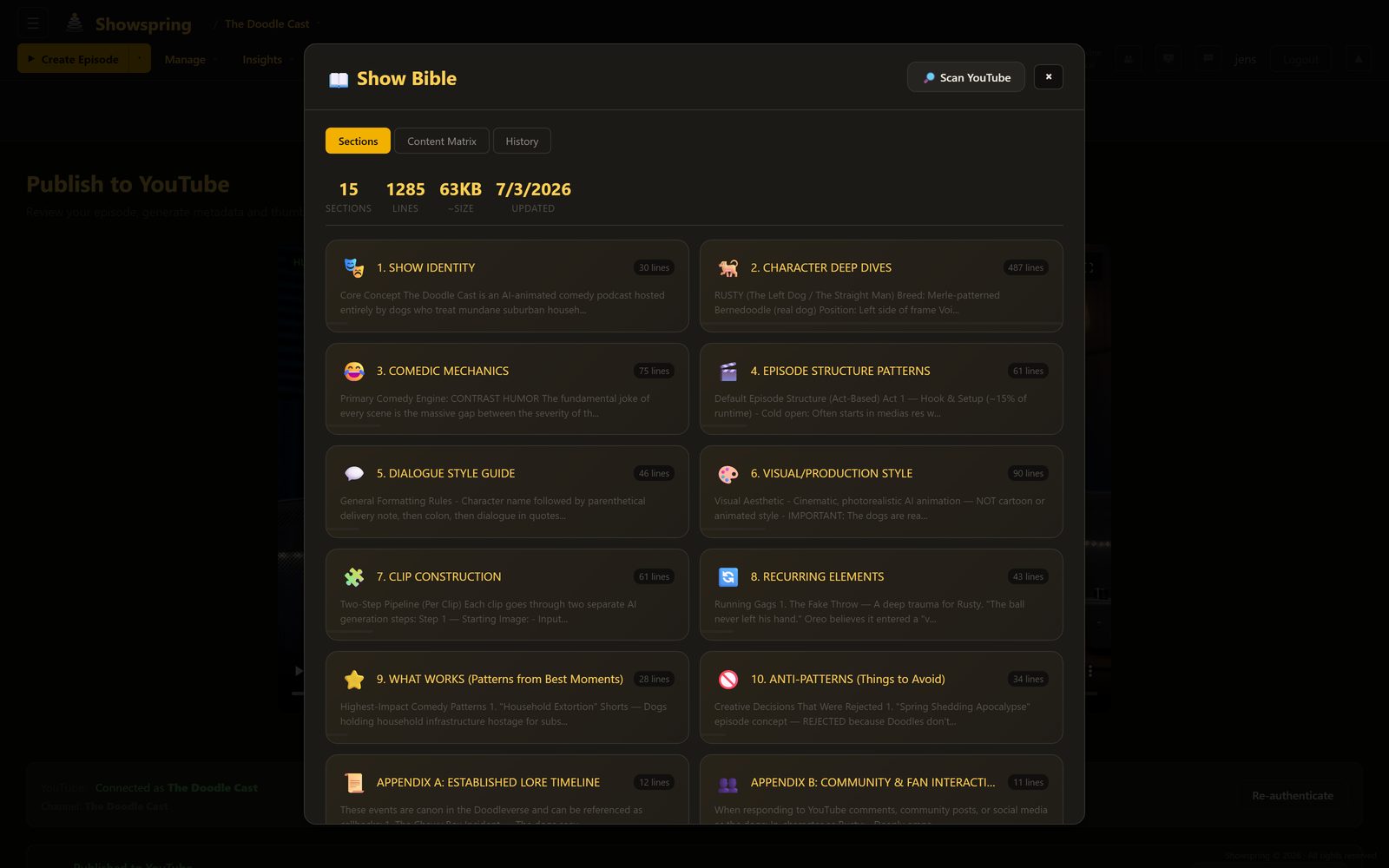
Show Bible System

A living knowledge base that grows with every episode. Tracks character arcs, running gags, location details, dialogue patterns, and YouTube analytics. Automatically condensed for local models via Qwen 8B to fit within smaller context windows.

📡

Multi-Platform Social Engine

OAuth 2.0 flows for YouTube, Facebook, Instagram, TikTok, and X/Twitter. Each platform has dedicated publish functions handling format requirements, API quirks, and token refresh. An auto-publisher polls every 60 seconds to fire scheduled posts.

📊

Cross-Platform Analytics

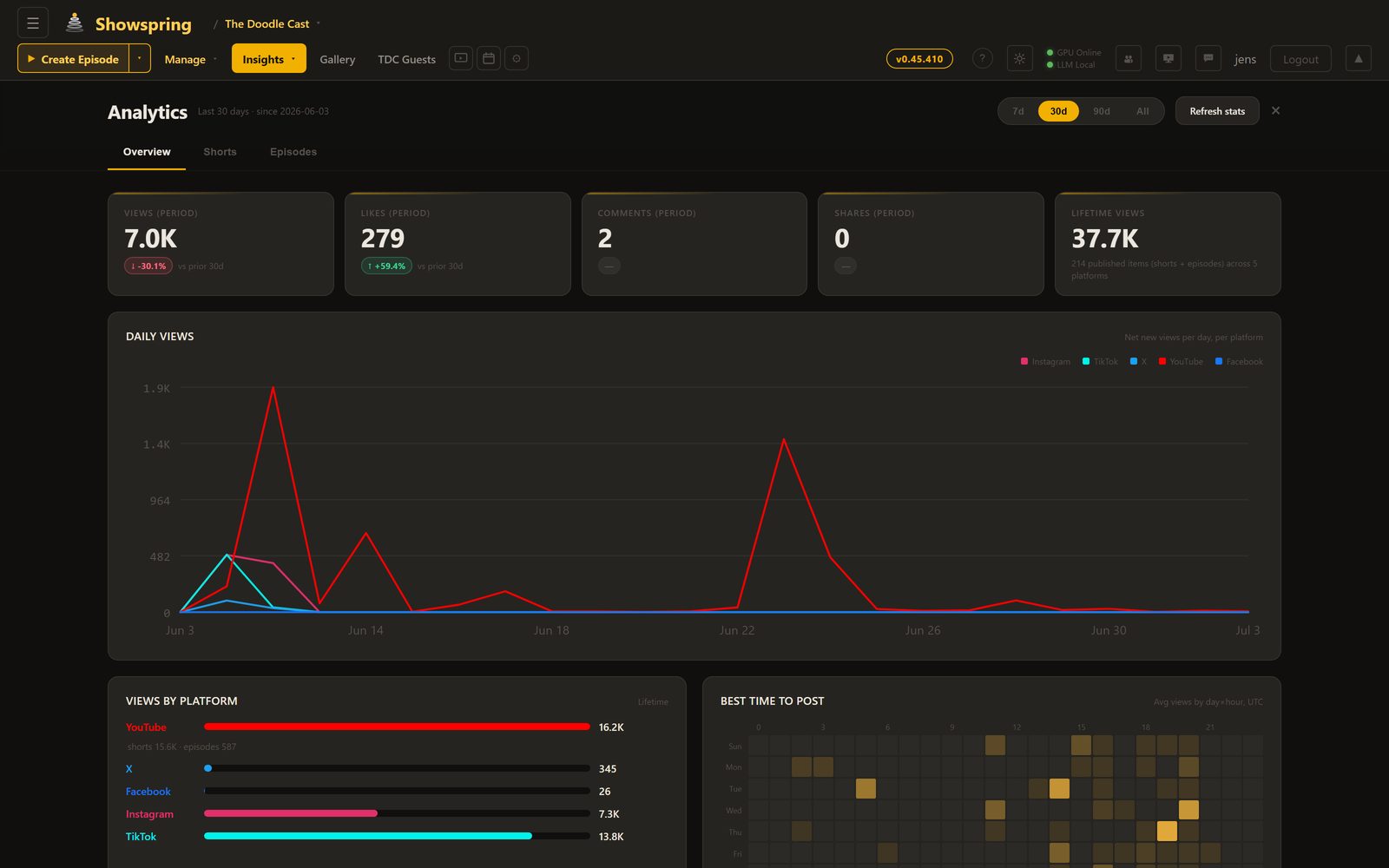
Aggregates views, likes, comments, and shares from all five platforms into a unified dashboard. Daily snapshots build 30-day trend charts. YouTube research reports analyze channel performance, competitor positioning, and optimal posting schedules.

📧

Resend Email Notifications

Branded HTML email alerts fire after every auto-publish: platform badge, clip title, direct link, and dashboard CTA. Missed-schedule alerts notify when a scheduled post fails or is overdue.

Ten AI models, one pipeline

No single model can do everything. The Creator orchestrates specialized models for each phase of production — local where possible, cloud where necessary. Per-step model selection lets each creative stage use a different LLM. v1.2 adds Grok 4 with live web search.

01
Ollama (Llama 3.1 / Gemma 12B / Qwen 8B)

Local LLMs for brainstorming, script writing, and location extraction. Zero API costs, unlimited iterations. Run on the RTX 5090 via Ollama.

02
Gemini + Veo (Google Cloud)

The primary production engine for video (Veo), images, and script generation. Cloud models deliver the highest quality and are the default choice for published episodes.

03
Grok 4 (xAI)

The creative director’s judge and the Research & Debate engine. Evaluates pitches, conducts live web research, and generates fact-heavy scripts with real-time data.

04
Claude (Anthropic)

Alternative script writer for episodes that need a different narrative style. Strong at long-form structure and character consistency.

05
ElevenLabs

Voice synthesis for 7+ characters, each with a unique voice profile. Also generates sound effects and music tracks from text descriptions.

06
WAN 2.2 / LTX 2.3 (Local GPU)

Open-source video models running on the RTX 5090 via ComfyUI. A cost-effective local alternative for drafts, iterations, and experimentation before committing to cloud renders.

07
Z-Image-Turbo / SDXL

Fast image generation for scene creation. Sub-2-second generation via ComfyUI with 4-step sampling. Produces photorealistic starting frames.

08
Gemini 2.5 Flash

Fast, cost-effective model for shorts idea generation, metadata, and schedule recommendations. Serves as the default fallback when Ollama models are unavailable.

09
Faster-Whisper (Transcription)

Word-level timestamp transcription for accurate chapter generation and subtitle creation. Runs locally on the RTX 5090 for zero-cost transcription.

10
YouTube + Social APIs

Publishes to YouTube, Facebook, Instagram, TikTok, and X via OAuth. Tracks cross-platform analytics and feeds performance data back into the show bible.

The manual effort this replaces

Doodle Cast Creator is not an API wrapper. It is a production-grade studio that replaces every specialist role in a traditional video content operation with end-to-end AI generation — from initial idea to multi-platform publish. The scale numbers below describe what the system does, and the section that follows describes what it would take to produce the same output by hand.

52,030
Lines of Code

30K lines of frontend (vanilla JS, zero frameworks) and 19K+ lines of modular Node.js backend (22 routers, 11 services). No boilerplate, no generated scaffolding.

302
API Endpoints

Every production step, every AI model, every platform publish, every analytics query has a dedicated API. OAuth flows for 5 social platforms, progress tracking, error recovery.

30
Database Tables

Episodes, clips, characters, locations, audio tracks, SFX, music, image history, gallery, platform tokens, publish records, analytics, podcasts, shorts schedules — all with migrations and foreign keys.

114
Integration Tests

Full CI/CD pipeline via GitHub Actions. Every router tested against a fresh database. The test suite caught 9 serious bugs during the April 2026 refactor that the original 22-test suite had missed.

The Opportunity

AI video tools today are single-shot generators. You get a 5–10 second clip with no narrative continuity, no audio design, no character consistency, and no way to assemble it into a publishable episode or distribute it across platforms. The gap between “I can generate a cool clip” and “I can produce and distribute a multi-platform content operation” is enormous — and that gap is the product.

Doodle Cast Creator closes that gap. It orchestrates 10+ specialized AI models into a single end-to-end production pipeline: ideation, script writing, voice synthesis, character-consistent image generation, image-to-video, multi-track audio mixing, render, and multi-platform publish. The entire Doodle Cast YouTube channel — with its episodes, shorts, characters, and growing audience across five platforms — is produced and distributed end-to-end by this tool, with no writers, no animators, no voice actors, no editors, no sound designers, and no post-production house involved.

Manual Production Equivalent

What producing this content would take without AI

Every single episode Doodle Cast Creator ships — idea, script, character art, voice acting, animation, audio mix, thumbnail, multi-platform publish, and analytics — replaces the output of an entire traditional content studio. To produce the same volume and quality manually, a creator would need a cross-functional team across every specialty below, running in parallel, week after week.

10–14
Specialist Roles
2–4
Weeks Per Episode
$20–50K
Cost Per Episode
Showrunner / Head Writer
Concept, season arcs, character voice consistency, writers'-room management. Replaced by the Creative Director + Script Writer agents and the Show Bible condensation pipeline.
Staff Writer(s)
Per-episode scripts, dialogue, scene descriptions, continuity. Replaced by configurable per-step LLMs (Ollama, Gemini, Grok, Claude) running against the show bible.
Character Designer / Illustrator
Reference sheets, turnarounds, style guides, per-scene character art. Replaced by Gemini image generation with persistent character reference images and location libraries.
Storyboard / Scene Artist
Starting-frame composition for every clip. Replaced by Gemini + Z-Image-Turbo + SDXL running against character + location references, with approval workflow.
Animator(s)
5–10 second clips, character motion, lip sync, camera work. Replaced by Google Veo (cloud) and WAN 2.2 + LTX 2.3 (local RTX 5090) via image-to-video generation.
Voice Actor(s)
Character voices, multiple takes per line, session scheduling, booth time. Replaced by ElevenLabs with per-character voice profiles stored in the character manager.
Sound Designer / Foley
SFX creation, ambience beds, diegetic audio layering. Replaced by ElevenLabs SFX generation routed into the multi-track audio editor as keyframed clips.
Music Composer
Original score, themes, per-scene music. Replaced by ElevenLabs music generation with duck-on-dialogue via ffmpeg volume keyframes in the filter graph.
Video Editor
Timeline assembly, cuts, transitions, color, pacing, final render. Replaced by the dynamic ffmpeg filter-graph compositor with NVENC hardware encoding.
Audio Mixer / Post
Level matching, LUFS normalization, 4-input mix (VO/SFX/music/dialogue). Replaced by the ffmpeg amix + volume keyframe engine with explicit per-stream weights.
Thumbnail / Cover Artist
Per-episode thumbnails, A/B test variants, format-specific crops. Replaced by Gemini thumbnail generation with automated A/B candidate production.
Social Media Manager
Cross-platform posting, scheduling, caption writing, comment triage. Replaced by the 5-platform OAuth publish engine + auto-publisher with AI-generated captions per platform.
Analytics & Research
Performance tracking, competitor research, topic selection, retention analysis. Replaced by the unified cross-platform analytics service + Grok live-web research scripts.
Producer / Coordinator
Scheduling, handoffs, approvals, budget tracking, delivery. Replaced by the episode state machine, Google Flow approval watcher, and Resend email notification pipeline.
14 specialist roles, replaced by a single tool. Every row above is a real production role that ships real episodes on The Doodle Cast channel — except none of them is filled by a human. The whole pipeline is AI-native from idea to published episode, and the manual-effort equivalent would require a 10–14 person studio running for weeks per episode. Doodle Cast Creator does it in a single automated pass.

Deep technical breakdown

Every design decision in Doodle Cast Creator had a real constraint behind it. This section walks through the shape of the implementation at a high level: module topology, data model, rate-limit strategy, the dynamic render engine, the hermetic test pipeline, the hybrid cloud + local GPU routing, and the non-destructive cache policy. The goal is to show why the system looks the way it does, not to hand out a runbook.

1. Modular Composition Root

The main entry point is a thin bootstrap: environment validation, middleware stack, layered rate limiters, session setup, and router registration. It holds essentially no business logic. All production behavior lives in 22 domain routers and 11 shared services underneath. Each router owns its validation, data access, and error responses; services are pure functional units callable from any router.

22
Domain Routers
One router per bounded context: episodes, shorts, podcast, characters, locations, show bible, gallery, knowledge, social publishing, agents, and more. Independently testable with single-responsibility boundaries.
11
Shared Services
Multi-provider LLM router, image generation abstraction, knowledge condenser, cache manager, HEIC converter, health poller, mail, and environment validation. Pure functions, no shared state.
441
Lines at the Root
The whole composition root fits on a laptop screen. Down from 17,744 pre-refactor — a 97.5% reduction, with no business logic left above the router layer.

2. Layered Rate Limiting

Rate limiting is layered by cost class. A default limiter covers general API traffic. A much tighter limiter applies to cost-sensitive endpoints (LLM calls, image generation, and render dispatch) matched by both literal path and regex patterns. The tightest cap applies to authentication and OAuth callback flows to resist brute-force and credential-stuffing attempts. Static-asset bulk-fetch paths are excluded from API rate limiting. The expensive limiter runs before the global limiter so the global counter still sees every request.

Specific thresholds and endpoint lists are intentionally not published — tuning parameters that affect throttling behavior are treated as internal configuration.

3. Normalized Data Model

The persistence layer is a normalized relational schema grouped into five concerns. The database engine supports concurrent reads during long-running writes (render jobs, image generation), and foreign-key relationships keep referential integrity explicit. Every table is exercised by the integration test suite against a fresh ephemeral database per run.

🎬
Production State
Episode lifecycle, clip sequencing, audio tracks, SFX layers, render history.
🎨
Creative Assets
Characters, locations, reference images, and the shared media gallery.
🧠
Knowledge
Versioned show bible, channel context, user preferences, saved ideas.
🤝
Collaboration
Shared idea sets, script drafts, and external review feedback loops.
📡
Publishing
Schedule queue, publish history, and daily cross-platform analytics snapshots.

4. Dynamic Render Engine

Render is not a wrapper around a preset. Every episode, short, and podcast clip is composited by building a filter graph at runtime from the clip's tracks, volume automation, and timing metadata. Four audio streams are mixed per clip with explicit per-stream weights and fade/duck automation, then paired with the video stream and handed to a hardware-accelerated encoder.

Per-Clip Audio Mix Topology
Dialogue
Fade-in envelope · weight 1.0
Voiceover
Auto-padded · weight 0.85
Sound Effects
Keyframed · weight 0.6
Music Bed
Auto-duck on tail · weight 0.25
4-Stream Mixer
Explicit weights
Sample-rate normalize
Video Pad / CFR
Letterbox + constant
frame rate
GPU Encoder
Hardware-accelerated
H.264 out

Each volume envelope, fade, duck, and weight is generated per clip from the clip's metadata in the database, not hand-authored. The same engine handles episodes, shorts, and podcast clips via a shared filter builder, which is why a 5-second short and a 12-minute episode both render through the same code path.

5. Hermetic Integration Test Pipeline

The test suite is fully hermetic: it boots the real server binary against an ephemeral database, stubs every external AI and platform API, and exercises each router end-to-end over real HTTP. 113 integration cases run on every CI build. Because the runner uses the production code paths, regressions in rate limiting, middleware, and business logic all surface before merge.

CI Test Cycle
🚀
Fresh Boot
Ephemeral DB, clean state
🧪
API Stubs
All external services mocked
🌐
Real HTTP
End-to-end, not unit
113 Cases
Every router covered
🚦
CI Gate
Fail = no merge

6. Hybrid Cloud + Local GPU Topology

The orchestrator delegates GPU-bound work (video generation, image synthesis, encoding, transcription, adaptive streaming prep) to a local GPU host over a private tunnel, while cost-sensitive and highest-quality work flows to cloud AI APIs. A health poller keeps cloud fallbacks warm, so any local outage degrades gracefully rather than blocking the pipeline.

Compute Routing
☁️
Cloud Route
· Highest-quality video generation
· Frontier LLM inference
· Production image generation
· Voice synthesis
· Platform publishing APIs
💻
Local GPU Route
· Open-source video fallback
· Local LLM inference for drafts
· Fast iterative image generation
· Hardware-accelerated encoding
· Transcription & HLS segmentation
Health poller · 30-second interval · automatic cloud fallback on local outage

Routing is per-job, not per-user. The same episode can fan out cloud video + local draft image + cloud voice + local encoding based on cost, quality, and availability.

7. Non-Destructive Cache Policy

Cache eviction normally deletes whatever is coldest. That is unacceptable here — a render that has not yet been archived cannot be recreated without re-running the whole GPU pipeline. Eviction therefore follows a strict backup-first order: archive to permanent storage, verify the copy, then reclaim local space. A crash mid-cycle never loses data.

Eviction Flow
📏
Measure
Cache size vs cap
🔢
Rank
Coldest first
☁️
Archive First
Verify remote copy
🗑️
Reclaim
Delete local copy
⚠️
Fail-Safe
Skip if not archived

If the remote archive is unreachable during a cleanup cycle, the cache simply grows a little past its cap until the next cycle — which is far cheaper than losing a not-yet-backed-up render.

Why This Matters

None of this is required to “make an AI video.” It is required to run one in production, every day, against rate-limited third-party APIs, on a shared VPS behind a reverse proxy, with a cache that cannot afford to lose files, with a test suite that has to be deterministic because it runs on every change. These are the details that separate a weekend prototype from a production studio shipping AI-generated content on a real schedule.

See it in action

Watch the episodes produced entirely by Doodle Cast Creator on YouTube.

Visit The Doodle Cast